₹1,500 Discount on Combo Course
Grab Now Apply "FLAG26"
Why Indian CAs Recommend TallyPrime for Fast Voucher Posting and Audit-Ready GST Returns
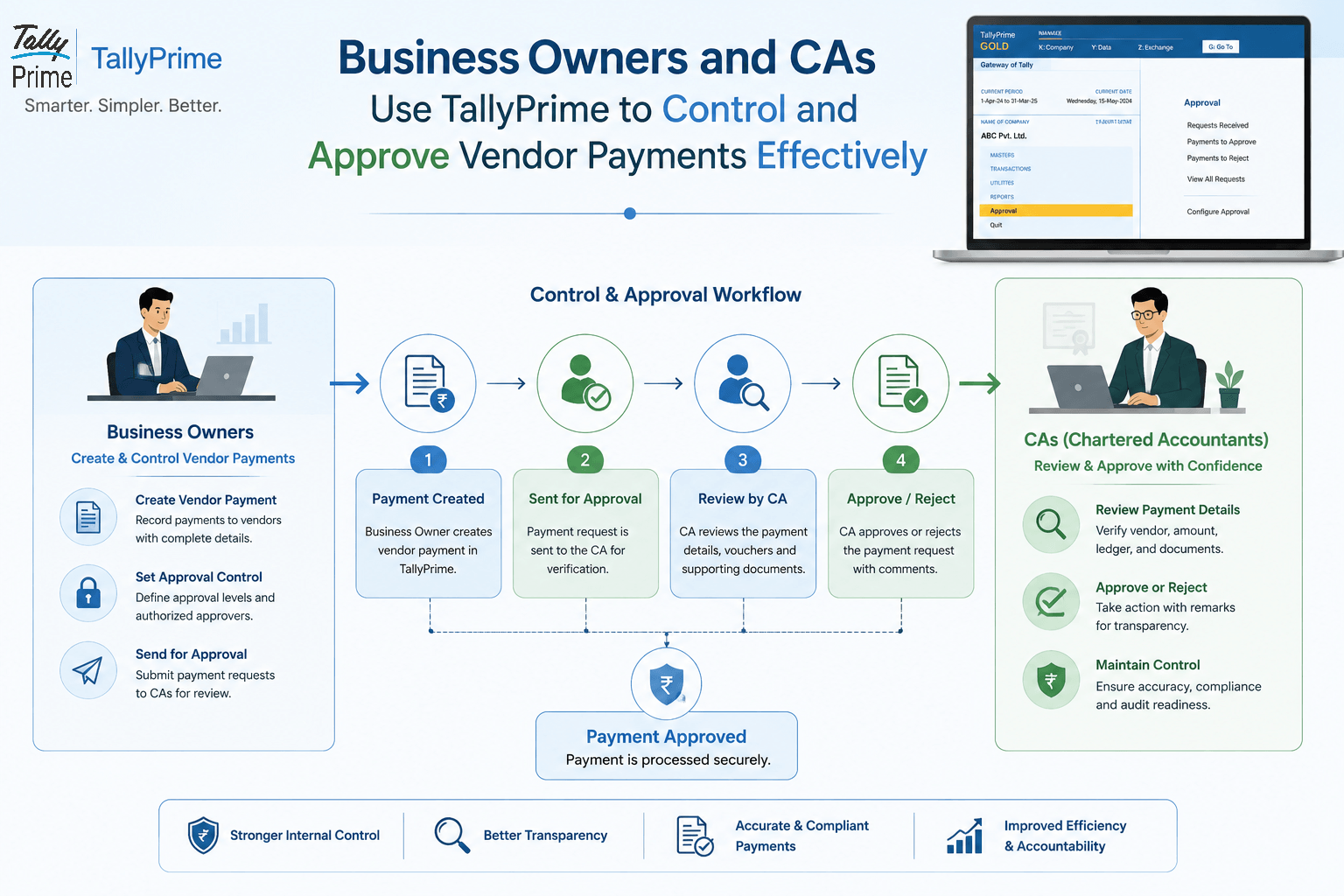
TL;DR
Indian CAs prefer TallyPrime because it eliminates accounting friction at every stage. With rapid keyboard shortcuts, automated GST calculation at voucher entry, seamless GSTR-2B reconciliation, direct GST filing, and an immutable audit trail, TallyPrime turns month-end tax chaos into a smooth, audit-ready workflow year-round.
Introduction:
Managing daily transactions while keeping up with changing tax rules can feel like a non-stop juggling act. Over my years working directly with Indian business owners and accounting professionals, I’ve seen many businesses struggle with delayed month-end closures, tax mismatches, and chaotic year-end audits.
The main reason Chartered Accountants overwhelmingly recommend TallyPrime comes down to four practical factors: lightning-fast keyboard-driven voucher entry, automated GST calculations on the spot and direct filing, built-in GSTR-2B auto-reconciliation, and a complete Edit Log audit trail. Together, these features ensure your daily bookkeeping automatically produces accurate, audit-ready GST returns without last-minute panic.
What Makes Voucher Entry So Fast in TallyPrime?
If you observe an experienced accountant or CA team working in TallyPrime, you will notice something surprising: they barely touch the mouse.
In high-volume business environments, speed matters. TallyPrime is built with a keyboard-first philosophy. Every major command, menu selection, and entry voucher can be triggered instantly with short keystrokes (like Alt + C to create a ledger on the fly or Ctrl + A to save instantly).
In my experience, when data entry teams switch from mouse-dependent software to TallyPrime's shortcut-driven flow, voucher posting speeds increase by nearly 40%. There’s no waiting for pages to load or clicking through multiple pop-up windows.
How Does Auto-GST Calculation Prevent Daily Errors?
Gateway of Tally → Create → Ledgers
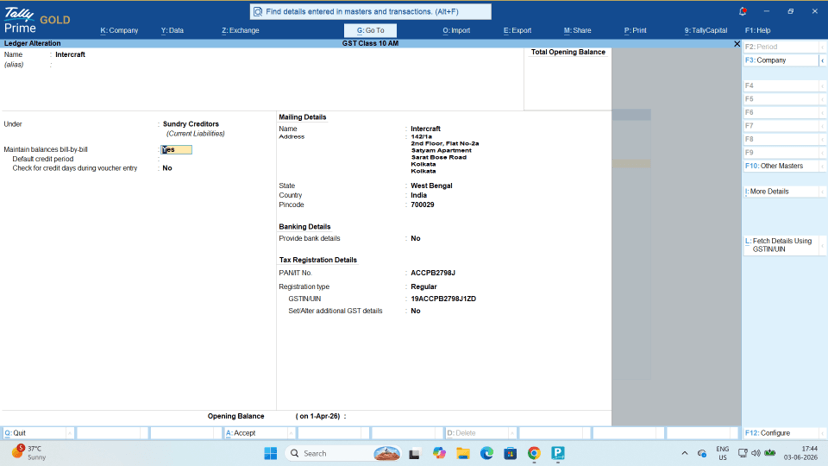
Manual tax calculation is one of the biggest causes of reconciliation headaches. A simple typo in tax rates or an incorrect ledger selection can mess up your entire month’s filing.
TallyPrime handles this at the exact moment of transaction entry:
- Automatic Tax Splitting: Depending on whether the transaction is intra-state or inter-state, TallyPrime automatically selects CGST, SGST, or IGST based on the party’s state and GSTIN.
- Real-time Error Detection: If a supplier’s GSTIN is invalid or a tax rate mismatch occurs, TallyPrime flags the issue right on the entry screen before you save the voucher.
- Flexible Ledger Creation: You don't need to break your flow—just create a new tax ledger directly on the go within the invoice screen.
Real-World Example: Fixing the Month-End Chaos
A manufacturing client of mine in Bhagalpur used to spend three days at the end of every month just finding tax discrepancies. Their team logged entries into a basic spreadsheet, and when it came time to file GSTR-3B return filing, tax amounts never matched the portal records.
"When tax calculation happens automatically at the point of voucher entry, month-end compliance stops being an event and simply becomes a habit."
After migrating to TallyPrime, their data entry operators entered bills using keyboard shortcuts while tax ledgers calculated automatically. During their very first month on TallyPrime, their tax mismatch errors dropped to zero, saving over 20 hours of manual cross-checking.
Why Is GSTR-2B Auto-Reconciliation a Game-Changer?
Claiming Input Tax Credit (ITC) safely requires that your purchase register matches the vendor data reported on the GST portal (GSTR-2B). Doing this manually for hundreds of monthly invoices is a nightmare.
TallyPrime simplifies this through GSTR-2B Auto-Reconciliation:

- Import GSTR-2B Data: Download your official JSON file from the GST portal and load it straight into TallyPrime.
- Instant Matching: TallyPrime automatically categorizes invoices as Matched, Unmatched, or Partially Matched.
- ITC Protection: It clearly highlights missing vendor invoices so you don't accidentally claim ineligible tax credits or miss out on valid ones.
By using this feature, CAs ensure their clients only claim verified ITC, protecting them from unexpected tax demand notices later.
How Does TallyPrime Keep Your Books Audit-Ready?
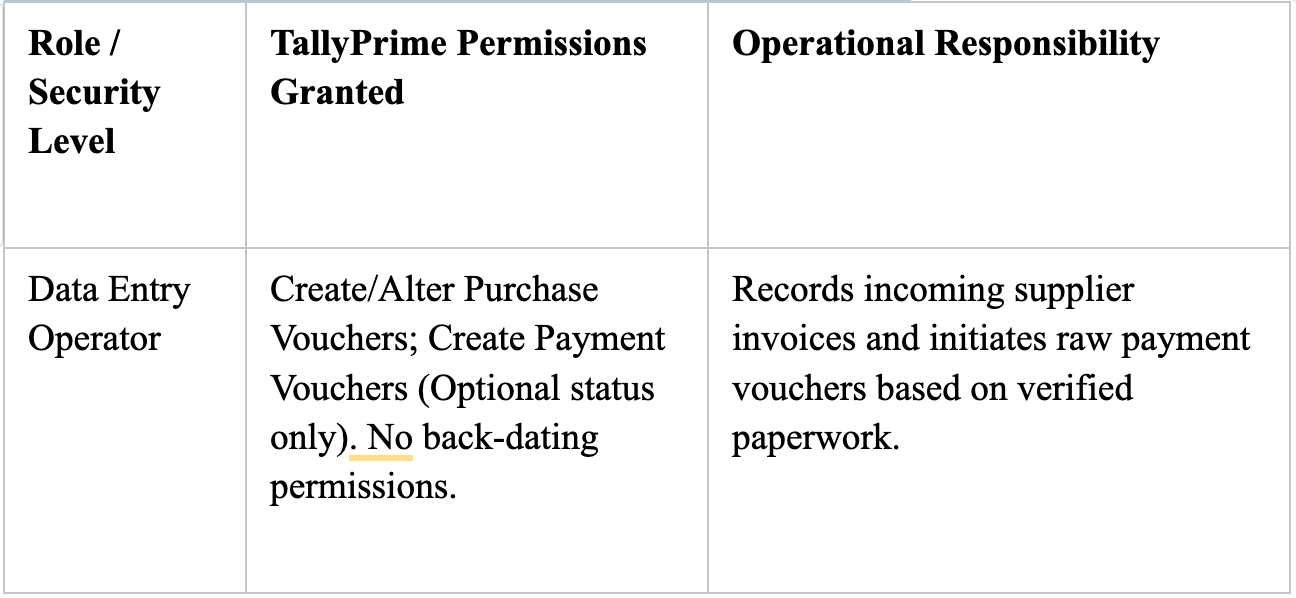
Tax authorities demand transparency, and CAs need to verify every entry during year-end audits. TallyPrime comes equipped with an enhanced Edit Log feature that tracks every creation, modification, or deletion of a transaction.
- Complete History: CAs can view who edited a voucher, when it was changed, and what values were altered.
- Internal Controls: It deters unauthorized retro-entries after books are closed.
- Seamless Audit: When CAs log in for year-end financial auditing, they can verify transaction history without asking for dozens of supporting paper files.
Conclusion:
In my years of working with growing Indian businesses, I’ve seen firsthand how accounting panic sets in right before GST filing deadlines or year-end audits. Most of this stress doesn't come from bad intentions—it comes from clunky software, manual tax entry mistakes, and vendor credit mismatches.
Indian CAs overwhelmingly recommend TallyPrime because it tackles these everyday friction points head-on. By combining keyboard-first voucher entry, instant GST calculation and direct filing, automated GSTR-2B matching, and an unbreakable audit trail, TallyPrime turns complex compliance into a smooth daily habit.