₹1,500 Discount on Combo Course
Grab Now Apply "FLAG26"
Switching from Vyapar or myBillBook to TallyPrime: A Migration Guide for Growing Businesses

TL;DR
Growing businesses often outgrow simple billing apps like Vyapar or myBillBook once inventory gets complex or multiple team members need access. Switching to TallyPrime solves these growing pains by offering advanced inventory control, flexible multi-user permissions, and deeper financial reporting—without losing your existing data.
Introduction
If your current billing app is starting to slow you down when managing inventory or handling multiple users, you are likely experiencing growing pains. Moving from a basic tool like Vyapar or myBillBook to TallyPrime helps growing businesses unlock advanced inventory control, flexible multi-user permissions, and deep financial reporting. In my experience working with expanding businesses, making this switch brings order to daily billing chaos without losing past data. Here is a simple guide to help you transition smoothly and take your business operations to the next level.
Real-World Example: From Chaos to Control at a Regional Distributor
Let me share a quick story about Rajesh, who runs a wholesale electronics distribution business in Bhagalpur. He started using a mobile-friendly billing app when he had just two staff members and a couple of dozen daily bills.
Two years later, his team grew to eight people, operating across two godowns, handling hundreds of transactions daily. His old app began crashing during peak hours, and tracking stock movement between the main shop and the warehouse became a guessing game.When we migrated his operations to TallyPrime, three things changed immediately:
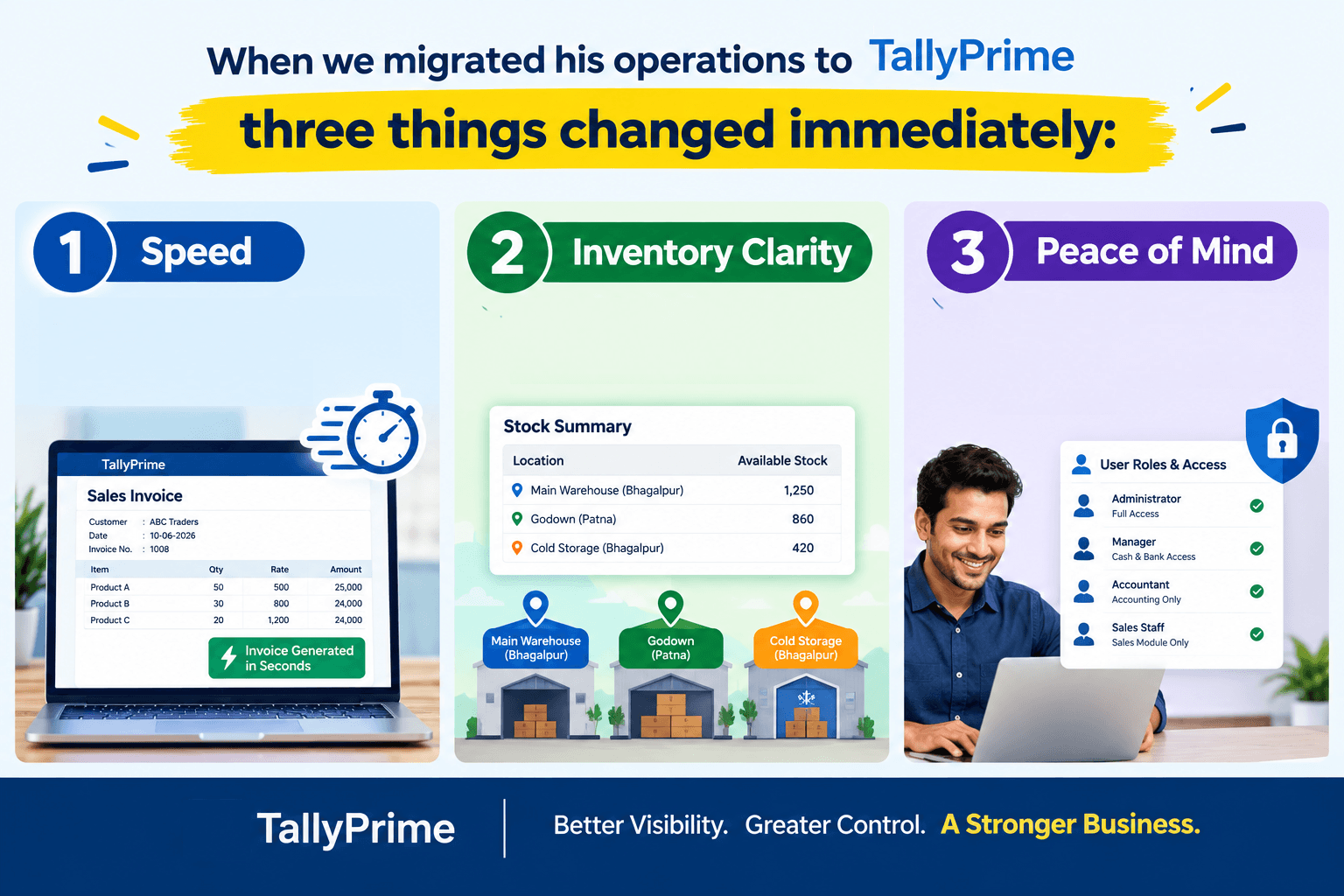
- Speed: Invoice generation became lightning-fast, even with heavy data loads.
- Inventory Clarity: He could instantly see stock availability across multiple locations.
- Peace of Mind: Staff roles were secured, ensuring cash and bank details were visible only to trusted managers.
Why Migrate to TallyPrime? The Benefits for Growing Businesses
Moving from light billing software to TallyPrime unlocks robust financial controls tailored for scaling enterprises:
- Advanced Compliance & Native GSTR-2B Reconciliation: TallyPrime allows you to import GSTR-2B data natively and match it against your purchase register to protect your Input Tax Credit (ITC).
- Direct GSTR-1 & GSTR-3B Filing: Filing GSTR-1 and GSTR-3B directly from TallyPrime is a streamlined process thanks to Tally's connected e-filing capabilities and JSON integration with the GST portal.
- Audit-Ready Books & Edit Log Compliance: For registered companies, TallyPrime features a built-in, tamper-evident audit trail (Edit Log) that complies strictly with statutory mandates.
- Deep Financial Reporting & Cost Centers: TallyPrime delivers comprehensive financial insights through real-time statements (P&L, Balance Sheet, Cash Flow) and dynamic ratio dashboards. Its Cost Centers feature enables granular tracking of expenses and revenues across departments, projects, or branches for precise profitability analysis.
- The "Go-To" Universal Search: TallyPrime’s design features a powerful universal search bar, letting you pull up complex financial statements, day books, and inventory reports instantly.
- Unrivaled Speed and Handling: Whether you process 50 or 50,000 invoices a month, TallyPrime handles heavy data volume locally on your desktop without lag.
- Bulk invoice processing: Docs by Ira in TallyPrime automates bulk invoice processing to capture data from scanned documents or PDFs and auto-create compliant draft vouchers. This eliminates manual data entry errors and drastically speeds up multi-document accounting workflows.
Step-by-Step Migration Guide: Vyapar to TallyPrime
Migration Steps:
- Access the Export Utility: Open your Vyapar Desktop application, navigate to the Utilities section on the left-hand menu, and select Export to Tally. Vyapar automatically formats and exports your data into dedicated Master XML and Voucher XML files.
- Filter Your Data: Choose your desired financial date range and select the transaction types you wish to migrate (such as Sales, Purchases, Credit/Debit Notes, and Payments).
- Generate Files: Click Export. Vyapar will generate a dedicated folder in your computer's Documents containing two essential files: a Master XML file and a Voucher XML file.
- Import Masters into TallyPrime:
* Open TallyPrime, press Alt + O (Import), and select Masters.
* Paste the file path of your master XML file and press Enter.
- Import Vouchers into TallyPrime:
* Return to the Import Data menu and select Vouchers.
* Paste the full file path for the voucher XML file.
* Note: For newer Tally versions, set the behavior for exceptions to Ignore exceptions and import and ensure overwrite duplicates is set to Yes.
- Verify the Books: Run a quick check on your Day Book, Stock Summary, and Profit & Loss statement in TallyPrime to ensure all balances line up cleanly.
Step-by-Step Migration Guide: myBillBook to TallyPrime
myBillBook allows you to package your cloud data into a Tally-compatible format so your accountant or internal team can import it effortlessly.
Migration Steps:
1. Open Settings: Log into your myBillBook dashboard on your desktop or web browser and click on Settings.
2. Manage Business: Go to the Manage Business section.
3. Select Data Export: Choose the option for Data Export to Tally.
4. Choose Date Range & Email:
* Select the exact date range you want to migrate (e.g., the current financial year).
* Enter your designated email address (and optionally, your accountant's email) where the data package should be delivered.
5. Submit Request: Click Submit or Export. myBillBook will process your request and email you a Tally-compatible XML file containing your parties, items, sales, and purchases.
6. Import into TallyPrime:
* Download the XML files from your email onto your computer.
* Open TallyPrime, go to Import Data (Alt + O), and systematically upload your Masters first (Parties and Inventory Items), followed by your Vouchers (Invoices and Bills).
7. Reconcile: Cross-verify your total receivables, payables, and item counts against your myBillBook reports to guarantee a faultless handover.
What Happens to Your Old Data When You Switch?
The biggest fear business owners share with me before migrating is if they will lose their old data. The good news is: you don't have to start from scratch.
Most basic billing software allows you to export your master data—such as customer ledgers, item lists, and opening balances—into XML format, this data can be brought directly into TallyPrime.
Pro Tip: Clean up your master data before importing. Delete duplicate customer names, fix spelling mistakes, and update obsolete item codes to give your new system a fresh, organized start.
Actionable Framework: Are You Ready to Switch?
Before making the jump, run through this quick checklist:
- Transaction Volume: Are you processing more than 100+ invoices daily?
- Team Size: Do you have 3 or more people handling billing and inventory simultaneously?
- Reporting Needs: Do you need advanced cash flow projections, branch accounting, or detailed credit limit tracking?
If you answered Yes to two or more, it’s time to plan your migration.
Frequently Asked Questions
1. Can I transfer my existing data from Vyapar to TallyPrime easily?
Yes, you can export your masters and ledgers into XML format and import them into TallyPrime using import masters (Alt+O)
2. Is TallyPrime too complicated for my staff to learn?
Not at all. TallyPrime is designed with a very intuitive, menu-driven interface that anyone familiar with basic computer billing can learn within a few days.
3. Do I need an internet connection all the time to run TallyPrime?
No, TallyPrime works seamlessly offline on your desktop or local network. You only need the internet for licensing, updates, syncing data remotely, or if using TalyPrime Cloud Access.
4. Can multiple users work on TallyPrime at the same time?
Yes, with a multi-user (Gold) license, unlimited users on your local office network can access and work on the system simultaneously without lag.
5. How long does the complete migration process usually take?
For most small to medium businesses, migrating masters, setting up security controls, and training the team takes anywhere from 1 to 2 days.
6. Will my invoices look professional after switching?
Absolutely. TallyPrime offers highly customizable invoice formats where you can add your company logo, custom terms, and specific tax columns easily.