₹1,500 Discount on Combo Course
Grab Now Apply "FLAG26"
How AI-Assisted Data Entry Changed the First 30 Days of Working With a New Client
TL;DR – 30-Second Summary
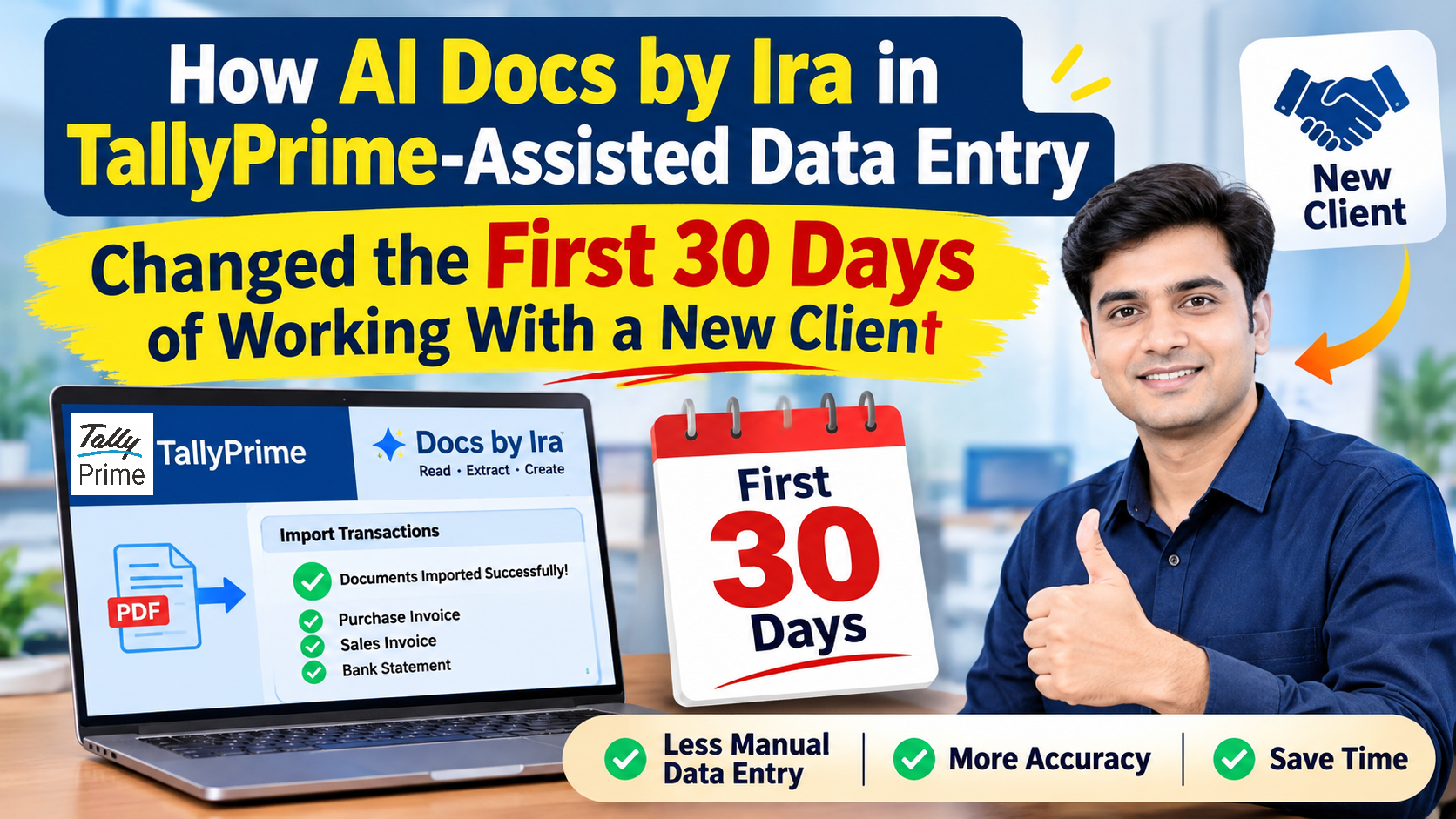
Starting work with a new accounting client is never just about entering numbers. The first 30 days usually involve collecting invoices, understanding business transactions, creating accounting entries, checking GST details, and organising financial records. AI-powered Docs by Ira in TallyPrime makes this process easier by reading supported business documents and preparing accounting vouchers for review. Instead of manually entering every invoice and bank statement details, accountants can spend more time checking accuracy, understanding the business, and building a reliable accounting system. The biggest benefit is less repetitive data entry and more time for meaningful accounting work.
Introduction
The first 30 days with a new accounting client can be challenging. There are invoices to enter, ledgers to understand, GST details to check, and sometimes hundreds of pending transactions to organise.
I've seen how much time accounting teams spend simply transferring information from invoices and pdf bank statements into accounting software.
But what if we could reduce that repetitive work and focus more on understanding the client's business?
This is where Docs by Ira in TallyPrime makes a real difference. It helps convert supported business documents into review-ready accounting vouchers, reducing manual work while keeping accountants in control.
How Did AI Data Entry Completely Change My First Month With a New Client?
Starting work with a new client always brings a familiar wave of stress: boxes of paper bills, bank statement messy PDFs sent over WhatsApp, and spreadsheets that never quite match up. In the past, my team would spend the entire first month just catching up on backlogs and typing invoice details line by line.
Everything shifted when I started integrating TallyPrime’s AI-enabled invoice processing app, Docs by Ira, directly into our daily workflows. Instead of manually punching numbers, it reads and verifies invoices, and maps ledgers to create review-ready vouchers instantly.
"The first thirty days with a client used to be a race against paperwork. Now, it’s a smooth onboarding process focused on advisory and growth.
"Also Read: Why Every SME Owner Should Care About AI-Ready Business Data
How Docs by Ira Inside TallyPrime Streamlines Day One?
Instead of traditional typing, Docs by Ira reads unstructured bills and invoices, understands the context, and matches them with your ledger heads automatically.When an invoice arrives, the system extracts key fields like vendor name, invoice date, taxable value, and tax breakdown, and pushes clean vouchers directly into TallyPrime for review. You simply review and approve instead of typing from scratch.
How does automated matching prevent errors?
Mistakes usually happen when jumping between separate screens or PDF viewers and your accounting software. Keeping everything linked within a unified workflow means your ledger names stay consistent, matching vendor profiles precisely without duplicate entries. Docs by Ira highlights exceptions such as mismatches and duplicate invoices. To understand the capabilities of 'Docs by Ira' in greater detail, you can visit TallyIra.
How does Docs by Ira import bulk vouchers and bank statements directly into Tally Prime?
Docs by Ira automates the transfer of financial documents into TallyPrime by leveraging intelligent document processing (OCR and AI data extraction). Here is how it streamlines importing bulk PDF/JPG vouchers or ZIP files and bank statements directly into your TallyPrime:
1. Document Upload & Ingestion (PDF, JPG, ZIP)
- Bulk Drop: You can upload multiple invoices, bills, or receipts at once, whether they are individual scanned PDFs, JPG images, or compressed ZIP folders containing hundreds of mixed documents.
- Smart Intake: The system scans the uploaded files, reads unstructured layouts, and automatically identifies key transactional data fields (such as vendor name, invoice date, GSTIN, HSN/SAC codes, taxable amounts, tax split-ups like CGST/SGST/IGST, and net totals).
2. Intelligent Mapping & Ledger Matching
- Automated Voucher Matching: Instead of manually creating or mapping ledgers from scratch, the tool compares the extracted vendor names and items against your existing TallyPrime master data.
- Contextual Learning: It maps line items to the correct purchase, expense, or party ledgers based on past transaction patterns and user preferences.
3. Direct Push to TallyPrime
- Voucher Generation: Once reviewed or verified through its dashboard, Docs by Ira converts the extracted data into ready-to-post accounting vouchers (such as Purchase, Sales, or Payment vouchers).
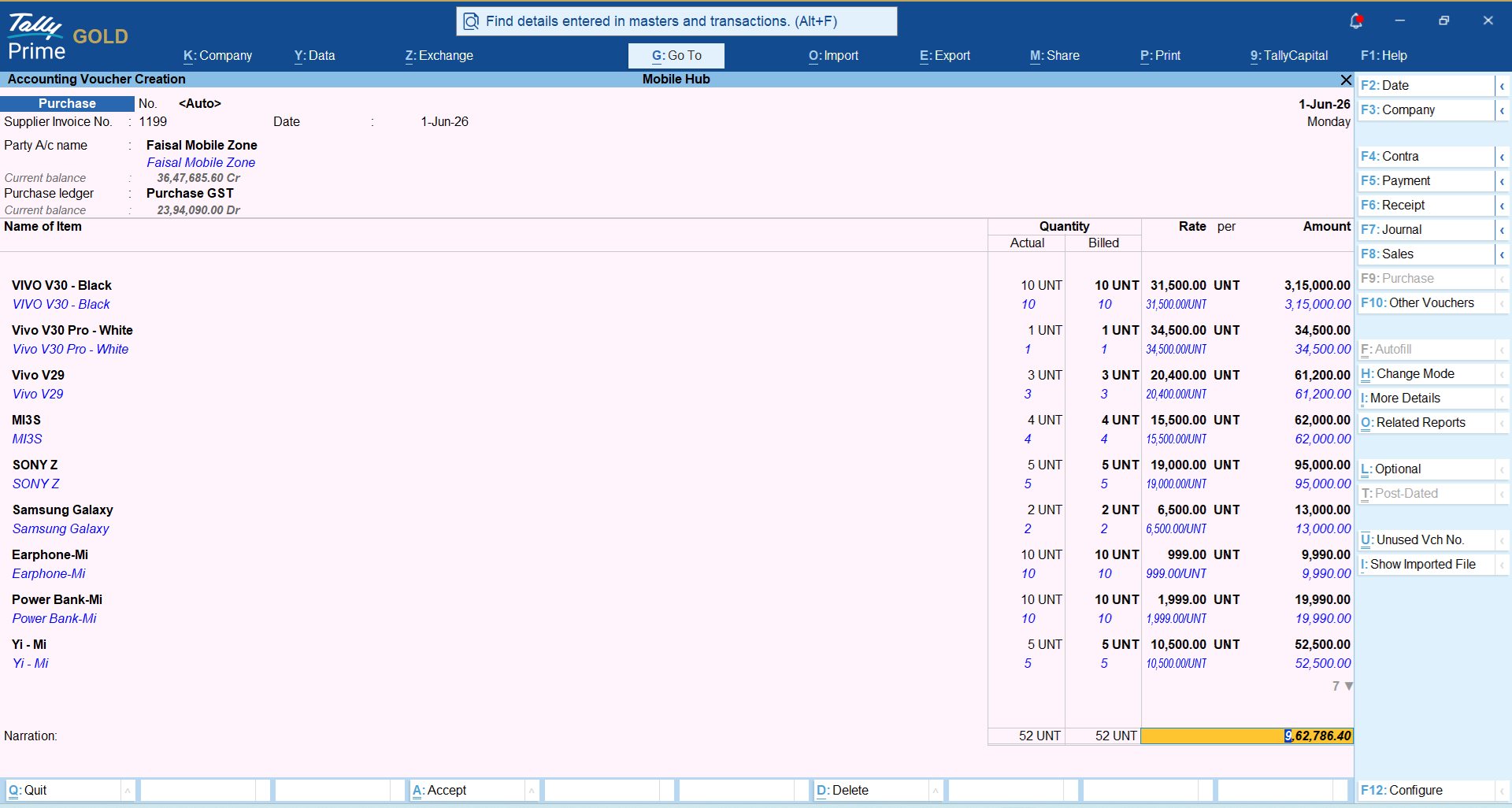
- Seamless Integration: It pushes these structured vouchers directly into TallyPrime, cutting down manual data entry time significantly and eliminating common transcription errors.
4. Bank Statement Processing
- Statement Parsing: For bank statements (often provided in PDF or Excel formats), the tool parses transaction dates, descriptions, reference numbers, deposits, and withdrawals.
- Auto-Reconciliation Support: It aligns the bank narration details with your ledger entries, assisting in quick bank reconciliation and receipt/payment voucher generation inside TallyPrime.
How a client cleared a month's backlog in 2 days
Take the case of a mid-sized retail business client we onboarded recently. They handed us over 800 mixed purchase bills and vendor invoices for their opening month.
- The Old Way: Two junior accountants would take roughly 10 to 12 working days just to punch and cross-check those vouchers.
- The AI-Assisted Way: Using Docs by Ira’s automated document processing, we uploaded, verified, and pushed those 800 invoices into our accounting workflow in under two days.
This left us with plenty of time during those crucial first 30 days to review their inventory valuation, set up proper user permissions, and clean up their GST compliance structure.
Here are 5 AI Capabilities SME Owners Should Actually Look for in Accounting Software
Conclusion & Practical Action Plan
Adopting smart automation isn’t about replacing human expertise, it’s about removing the boring chores that burn out your team.
Your 4-Step Action Checklist for New Clients:
- Audit incoming formats: Request all vendor bills in digital PDF or structured formats right from day one.
- Centralize document intake: Route all client files through an automated document reader before touching your main accounting software.
- Run batch reviews: Verify imported voucher summaries in batches rather than checking bills one by one.
- Shift focus early: Use the hours saved in month one to deliver value-driven tax planning and financial reviews to your client.
Frequently Asked Questions
1. What is Docs by Ira in TallyPrime?
Docs by Ira is an AI-powered document processing feature that extracts transaction details from supported documents like invoices and bank statements and helps prepare review-ready accounting vouchers.
2. Can Docs by Ira automatically create purchase entries?
Yes. It can extract purchase invoice details and prepare draft purchase vouchers. Accountants must review the information before saving.
3. Can I upload invoices using my mobile phone?
Yes. You can use the TallyIra mobile app to scan, upload, and send supported invoices to TallyPrime, even in bulk.
4. Does Docs by Ira eliminate manual accounting work?
Docs by Ira reduces repetitive data entry, but accountants must still verify transactions, resolve exceptions, and ensure correct accounting.
5. Can Docs by Ira help with bank reconciliation?
Yes. Supported PDF bank statements can be imported, transactions can be created, and the entries can be reconciled with existing books.