₹1,500 Discount on Combo Course
Grab Now Apply "FLAG26"
TallyPrime vs Busy vs AlignBooks: How Easy Is It to Correct Entry Errors Without Breaking Your Accounts?
TL;DR
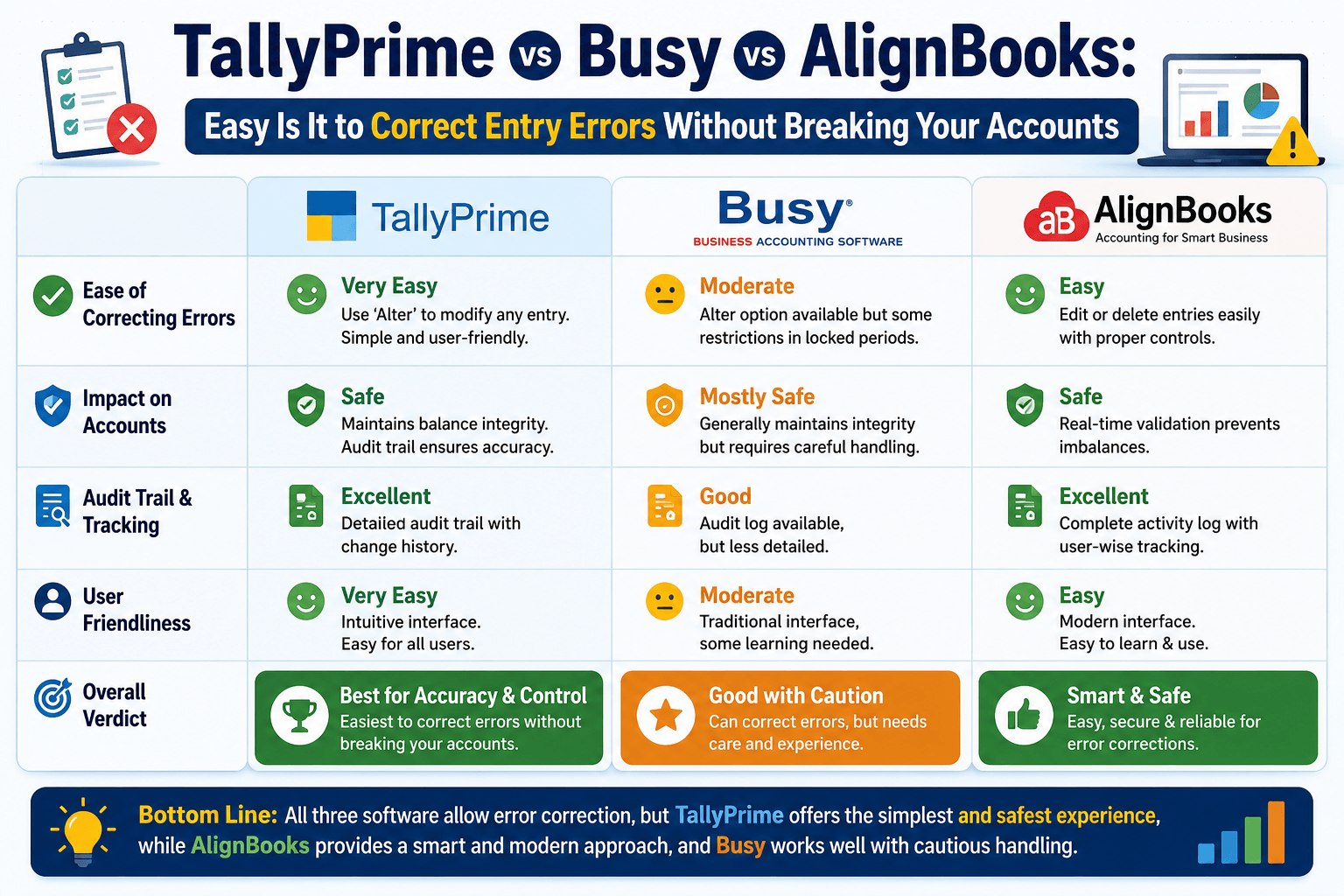
Correcting data entry mistakes in accounting shouldn't require a degree in rocket science or hours of manual patchwork. While systems like Busy and AlignBooks often force you into rigid deletion paths or complex manual adjustment entries, TallyPrime lets you edit or delete vouchers on the fly. The background ledger balances auto-correct instantly upon saving, while a secure, built-in alteration register and audit trail track user IDs and timestamps to keep your books completely compliant and transparent.
Introduction
Every accountant, business owner, or data entry operator has made an entry mistake at some point.
In my years of working closely with growing businesses, I have noticed one absolute truth: people make mistakes. A tired accountant could add an extra zero to an invoice, or a sales executive could select the wrong tax slab in a hurry. Data entry errors are bound to happen.
The real problem is not the mistake itself; it is what happens when you try to fix it. If your accounting platform makes error correction complicated, a simple typo can turn into hours of manual backtracking, unmatched ledger balances, and severe compliance headaches.
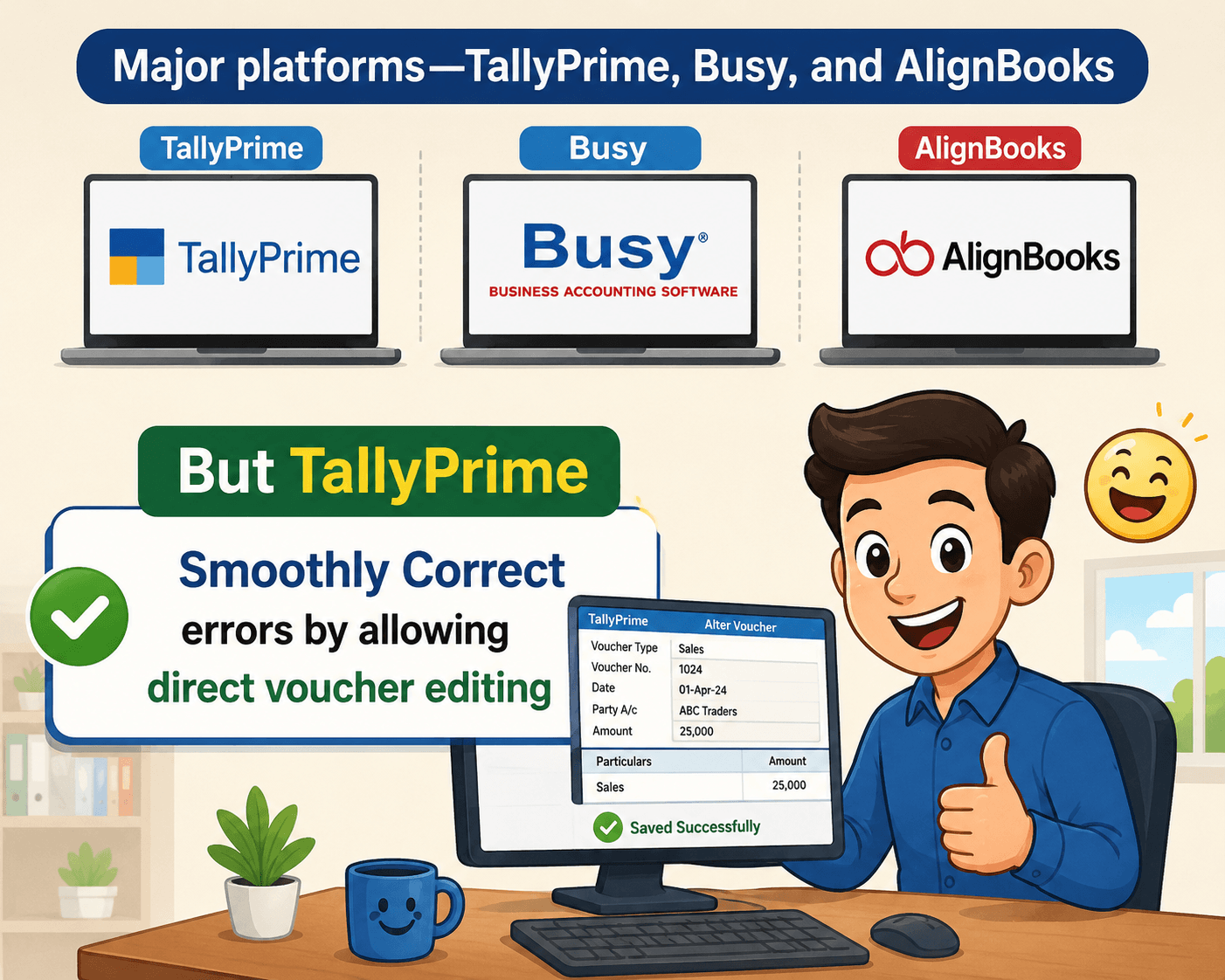
When comparing three major platforms, TallyPrime, Busy, and AlignBooks, the difference in handling mistakes comes down to flexibility versus friction. In my experience, TallyPrime offers the smoothest way to correct errors by allowing direct voucher editing while automatically keeping a bulletproof audit trail. I will discuss the reasons later in the blog.
Why does the way software handles mistakes matter?
When an accounting team realizes a mistake has been made, they usually face two major concerns: Speed (how quickly can we fix this so our reports are correct?) and compliance (will fixing this alter our audit history or raise red flags for tax authorities?).
If a software forces you to pass manual reversing journal entries for every single tiny typo, your ledger history becomes cluttered and confusing. On the other hand, if a software lets you change data too easily without tracking who did it, you lose all internal financial control.Let us look at how our three platforms tackle this everyday business challenge.
1. TallyPrime: The Seamless Edit with an Automatic Audit Trail
TallyPrime handles corrections with a balance of flexibility and accountability. If you find an error in a transaction, you can simply open the voucher, change the incorrect value, and hit save.
- Instant Auto-Correction: The moment you save the edited voucher, TallyPrime instantly recalculates all affected ledgers, tax computations, and financial reports in the background. You do not need to create manual adjustments.
- The Built-In Alteration Register: You do not have to compromise on safety for the sake of speed. TallyPrime features an Edit Log that maintains a full audit trail. Every single edit or deletion is logged with the user ID and an exact timestamp.
- Zero Messy Adjustments: A separate alteration register captures the complete history of changes. This means your core ledgers remain clean and uncluttered by endless "correction entries."
2. Busy Accounting Software: Rigid Structure and Fragmented Logs
Busy is a capable accounting tool, but its correction process can feel restrictive for fast-moving teams.
- Strict Triggers: Busy relies heavily on strict document sequencing. If you need to edit an entry that sits in the middle of a sequence, it can sometimes disrupt subsequent voucher numbers depending on your configuration.
- Cumbersome Voucher Deletions: Deleting an entry in Busy often requires running utility checks to ensure ledger synchronization remains intact.
- Separated Audit Tracking: While Busy tracks user activity, its audit logs are frequently stored as completely separate text files or background history screens. This makes it harder for an entrepreneur or auditor to view the exact "before and after" of a specific invoice right when looking at the ledger.
3. AlignBooks: Cloud-Based but Rigid Correction Paths
As a cloud-native ERP platform, AlignBooks offers great accessibility, but its approach to error correction is built around tight workflows that can slow you down.
- The Approval Lockout: If an invoice or voucher has already moved past the initial draft stage or has been approved, you cannot simply edit it. You are often forced to cancel the entire document and generate a brand-new one from scratch.
- Manual Correction Entries: To keep balances accurate after canceling an entry, users frequently have to pass manual debit notes, credit notes, or journal entries. This can leave a long trail of corrections for a single real-world transaction.
A Real-World Example: The "Extra Zero" Nightmare
To see how this plays out in daily business life, consider an experience I had with a manufacturing client. A data entry operator accidentally recorded a raw material purchase voucher as Rs. 80,000 instead of Rs. 8,000.
The mistake was caught three weeks later during a routine check. Here is how fixing that error looked across different systems:
- In AlignBooks: The team had to cancel the approved voucher, create a manual reversing entry to clean up the inflated accounts payable ledger, and then re-key the entire purchase invoice with the correct amount.
- In Busy: The team could edit the value, but they had to manually run a ledger reindexing tool to make sure the modified tax amounts were updated correctly across their multi-tax reports.
- In TallyPrime: The manager opened the original voucher, deleted the extra zero, and saved it. The accounts payable ledger, stock valuation, and tax logs updated instantly. When the business owner checked the Edit Log later, they could clearly see exactly who made the original mistake and who corrected it.
"Your accounting system should act as a safety net, not an obstacle course. True efficiency means being able to correct a human typo instantly while keeping your audit trail perfectly intact."
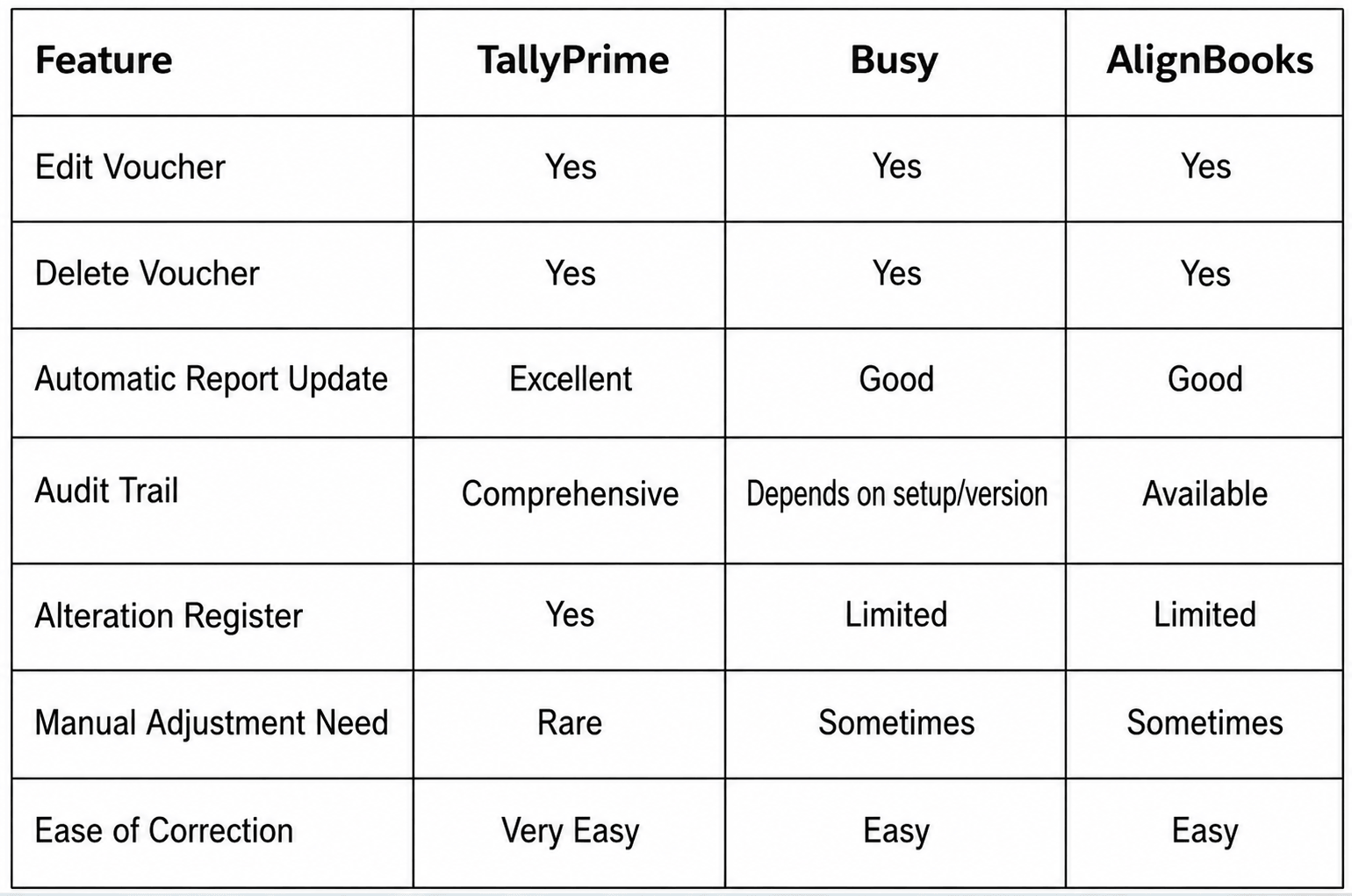
Quick Comparison
"The best accounting software isn't the one that prevents every mistake—it's the one that helps you fix mistakes quickly, safely, and transparently."
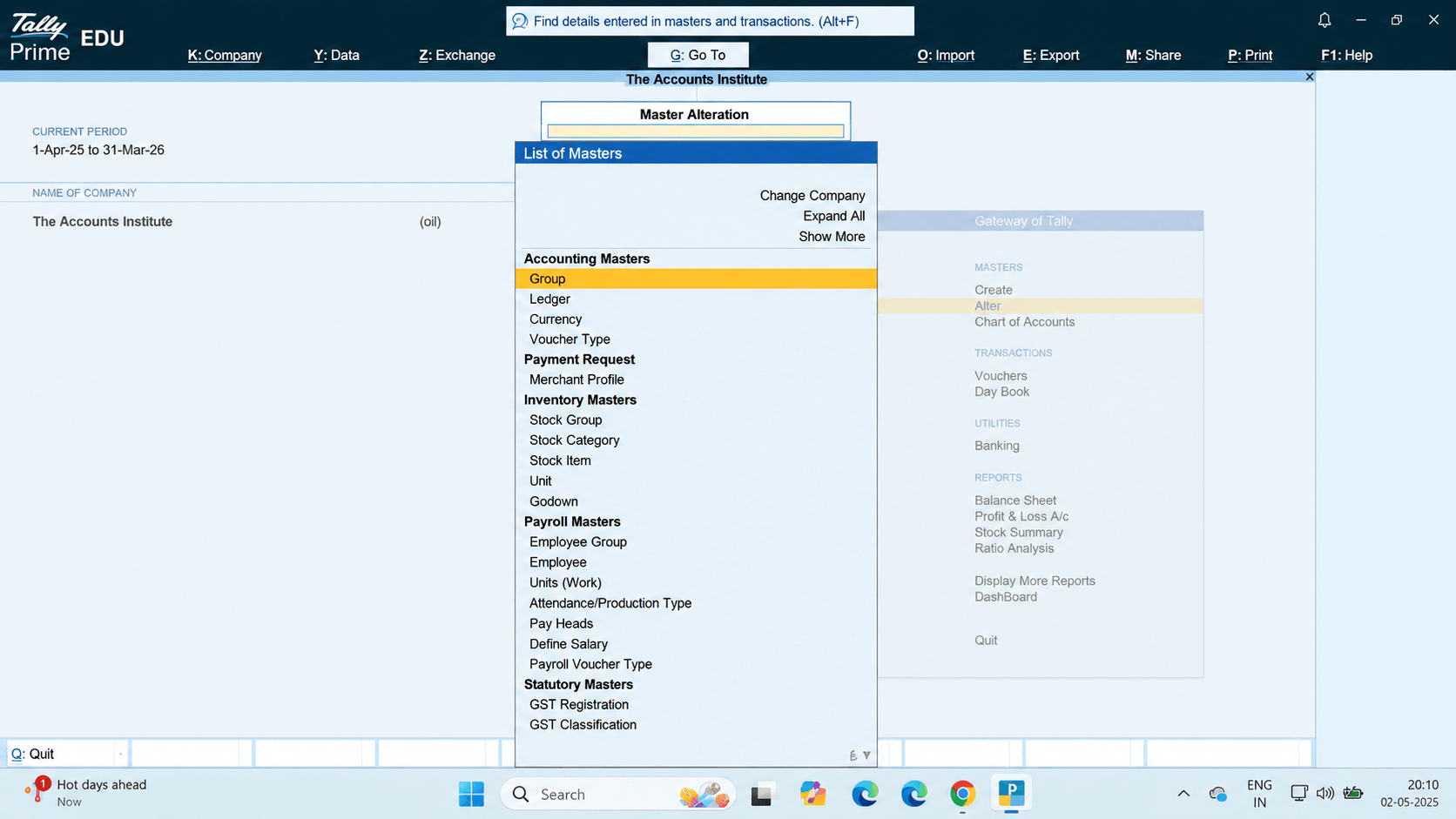
TallyPrime → Alter Voucher Screen
Conclusion:
Mistakes are unavoidable in accounting.
What matters is how quickly and safely they can be corrected.
From my experience working with businesses, TallyPrime offers one of the simplest correction workflows because it allows users to edit or delete vouchers directly, automatically updates accounts when saved, and records every change through a detailed audit trail and alteration register.
For businesses that want both flexibility and accountability, this approach can save significant time while keeping books accurate.
Quick Checklist
Before choosing accounting software, verify that it:
- Allows direct voucher editing
- Maintains an audit trail
- Records user ID and timestamps
- Updates reports automatically
- Reduces dependence on adjustment entries
- Supports audit and compliance requirements