₹1,500 Discount on Combo Course
Grab Now Apply "FLAG26"
TallyPrime for Billing and Store Staff: What Non-Finance Employees Actually Need to Learn
TL;DR
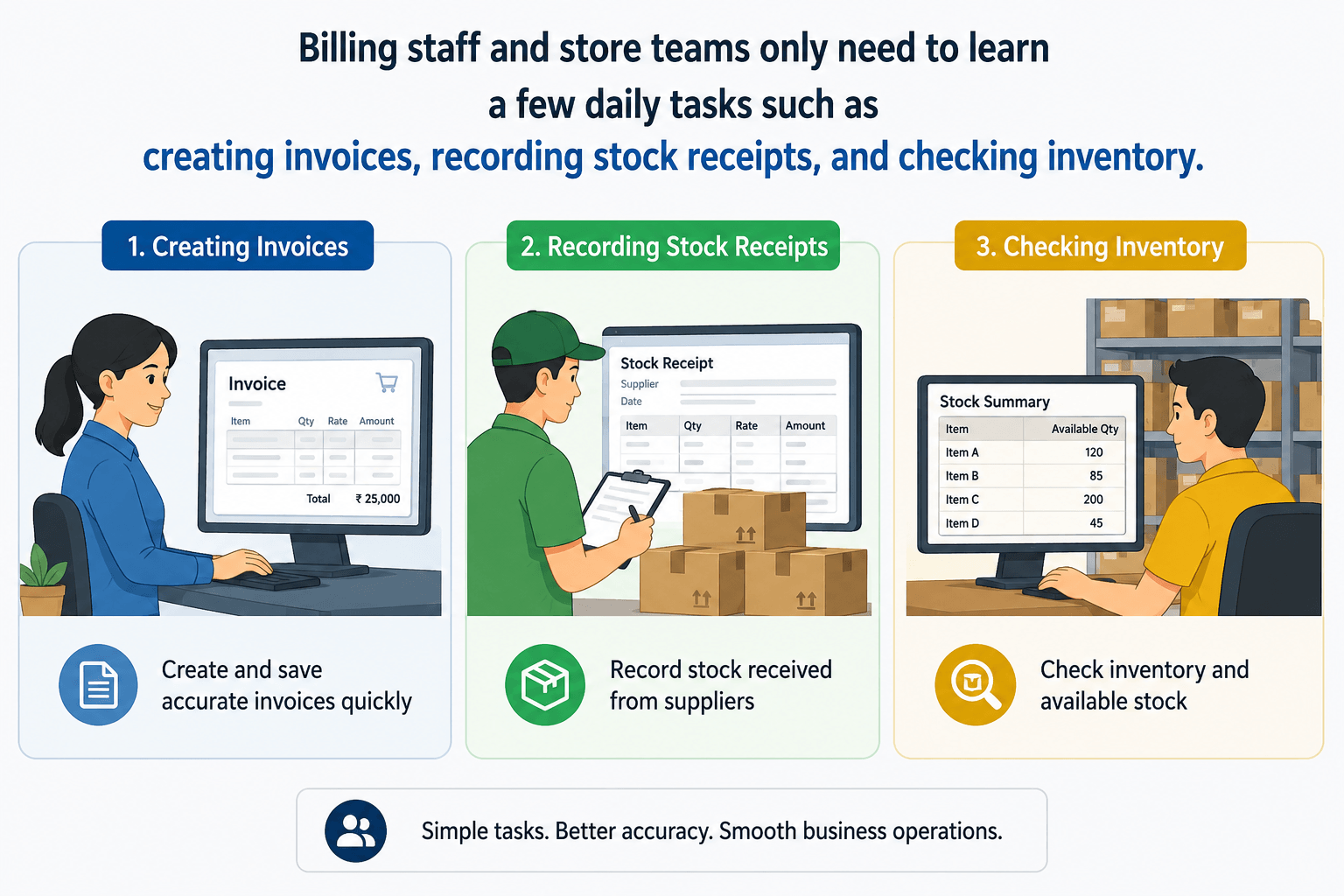
Many business owners assume that anyone using TallyPrime must learn accounting. That's not true. Billing staff and store teams only need to learn a few daily tasks such as creating invoices, recording stock receipts, and checking inventory. With proper user access controls, TallyPrime becomes easy to use, helping businesses improve speed, accuracy, and teamwork without overwhelming non-finance employees.
Introduction
If you run a retail shop, warehouse, or distribution center, you have likely seen it happen: a billing clerk or storekeeper freezes up at the keyboard because they are afraid a wrong keystroke will ruin the company's balance sheet.
I have seen that many business owners assume that TallyPrime is only for accountants and finance teams. But in reality, billing operators and store staff don't need to learn accounting to use the software effectively. With role-based access and simple workflows, TallyPrime allows non-finance employees to focus only on the tasks that matter to them—such as creating invoices, recording stock receipts, and managing inventory.
Here is the exact roadmap of what your non-finance staff actually needs to learn in TallyPrime to keep your business running smoothly.
Do Billing and Store Staff Really Need to Learn Full TallyPrime?
The simple answer is no.
I've seen many businesses delay software adoption because they believe their billing operators and store staff will struggle with accounting software. In reality, most non-finance employees only need to learn a small part of TallyPrime that relates to their daily work.
When configured correctly, TallyPrime can be as simple as a billing application for billing staff and an inventory tool for store teams.
Why Do Non-Finance Employees Feel Nervous About TallyPrime?
Many employees hear the word "accounting software" and immediately think it's complicated.
In my experience, this fear usually comes from a lack of clarity. Employees often assume they need to understand GST, ledgers, or financial reports. But that's rarely the case.
Most businesses only need their teams to perform operational tasks such as:
- Creating invoices
- Recording stock received
- Updating inventory movement
- Checking available stock
- Recording customer payments
Once employees understand this, their confidence increases significantly.
What Should BIlling and Store Staff Learn in TallyPrime?
In many businesses, billing and store staff handle daily transactions that directly affect inventory, sales, GST compliance, and customer satisfaction. Learning the right features in TallyPrime can help them work faster, reduce errors, and maintain accurate records.
A billing operator generally needs to learn:
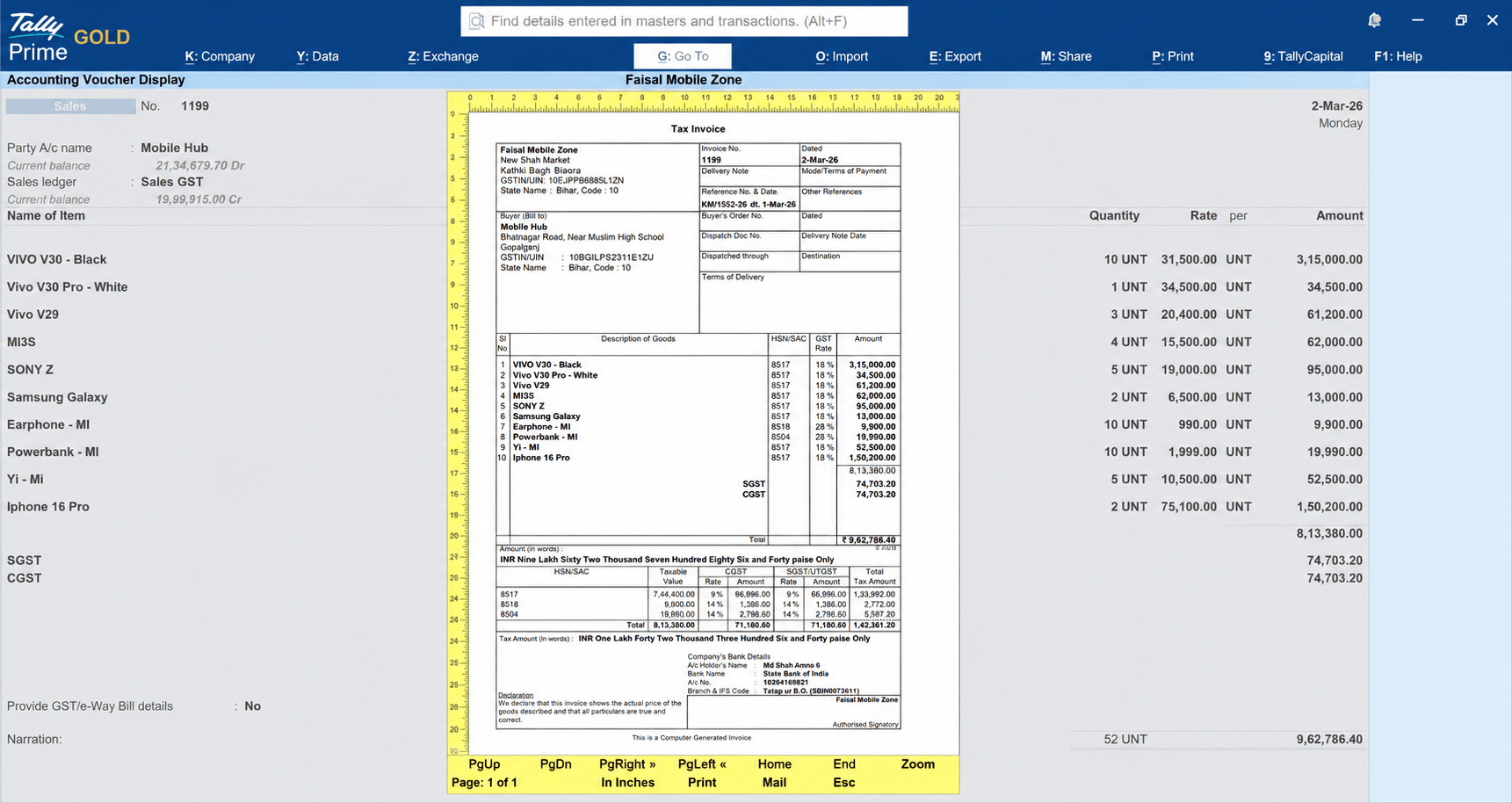
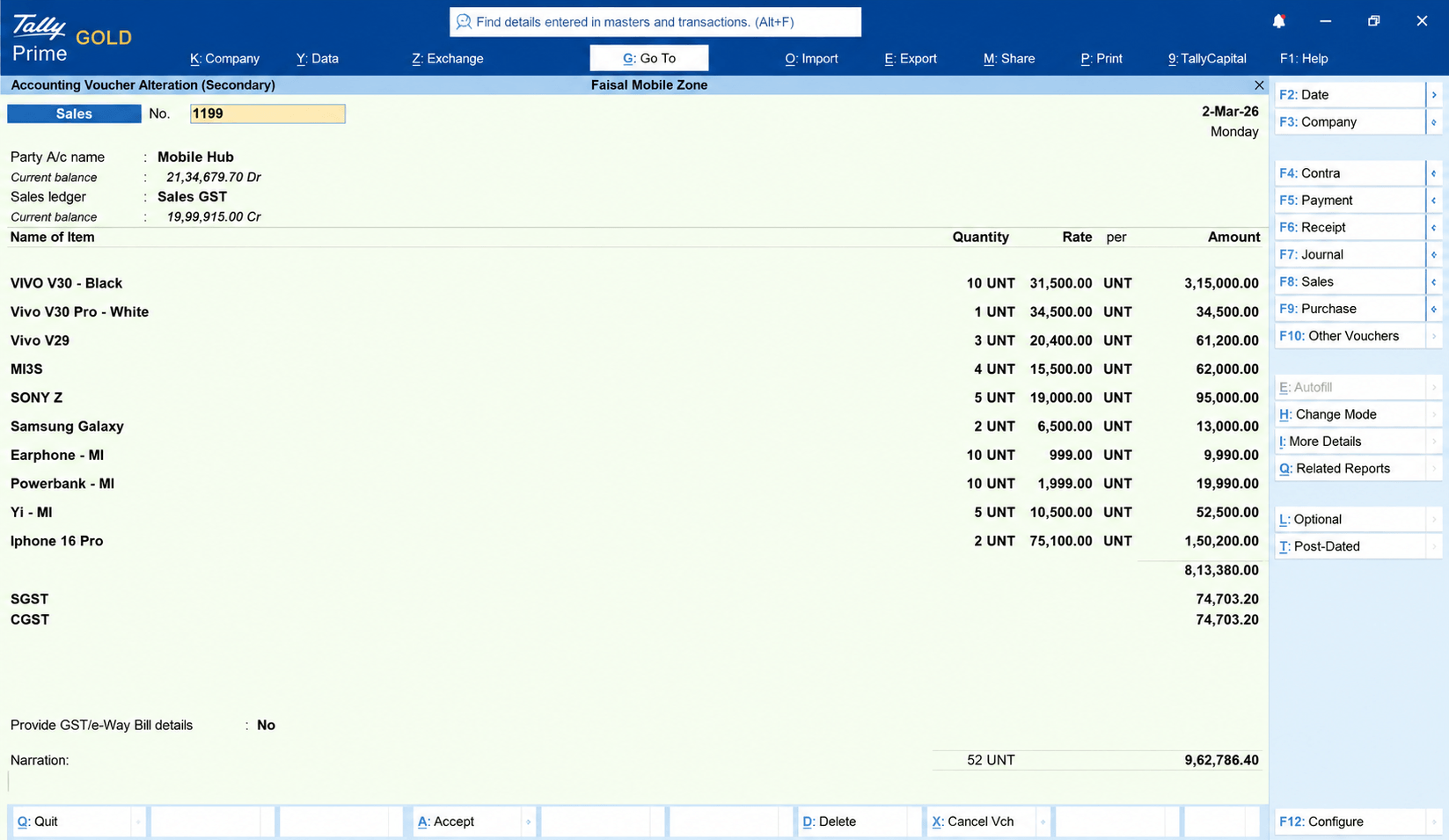
Creating Sales Invoices
Passing a Sales Voucher entry in TallyPrime automatically creates a sales invoice. According to GST rules, providing a GST invoice to the purchaser is mandatory, so billing can be easily done using TallyPrime. The steps are given below.
- Select customer
- Select items
- Enter quantity
- Apply discounts if required
- Save and print invoice
Gateway of Tally → Vouchers → Sales Voucher (F8)
Recording Customer Payments
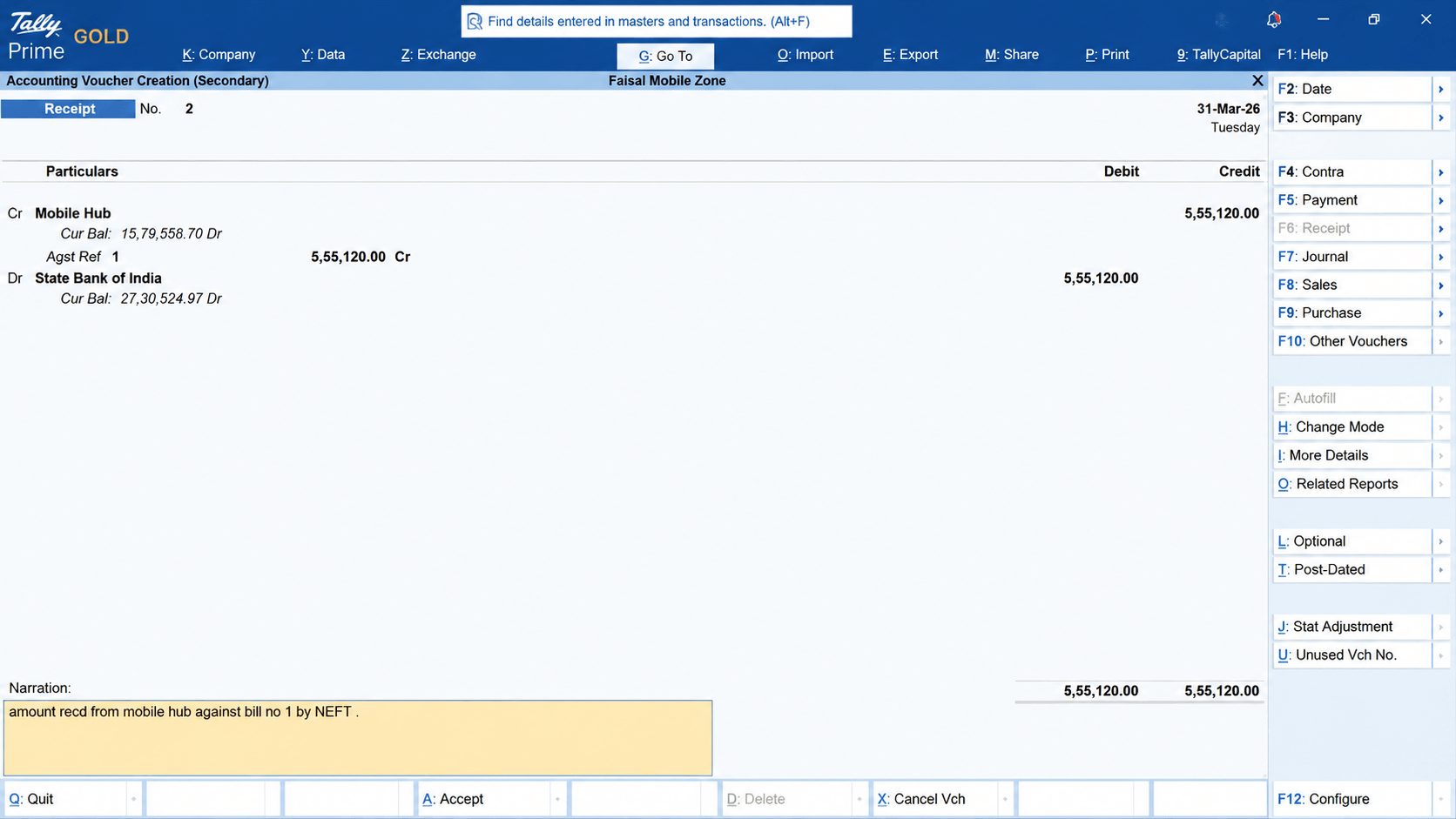
Upon receiving payment from a customer, an entry can be made in TallyPrime's Receipt Voucher, the details of which are provided below.
- Cash received
- UPI payments
- Bank receipts
Gateway of Tally → Vouchers → Receipt Voucher (F6)
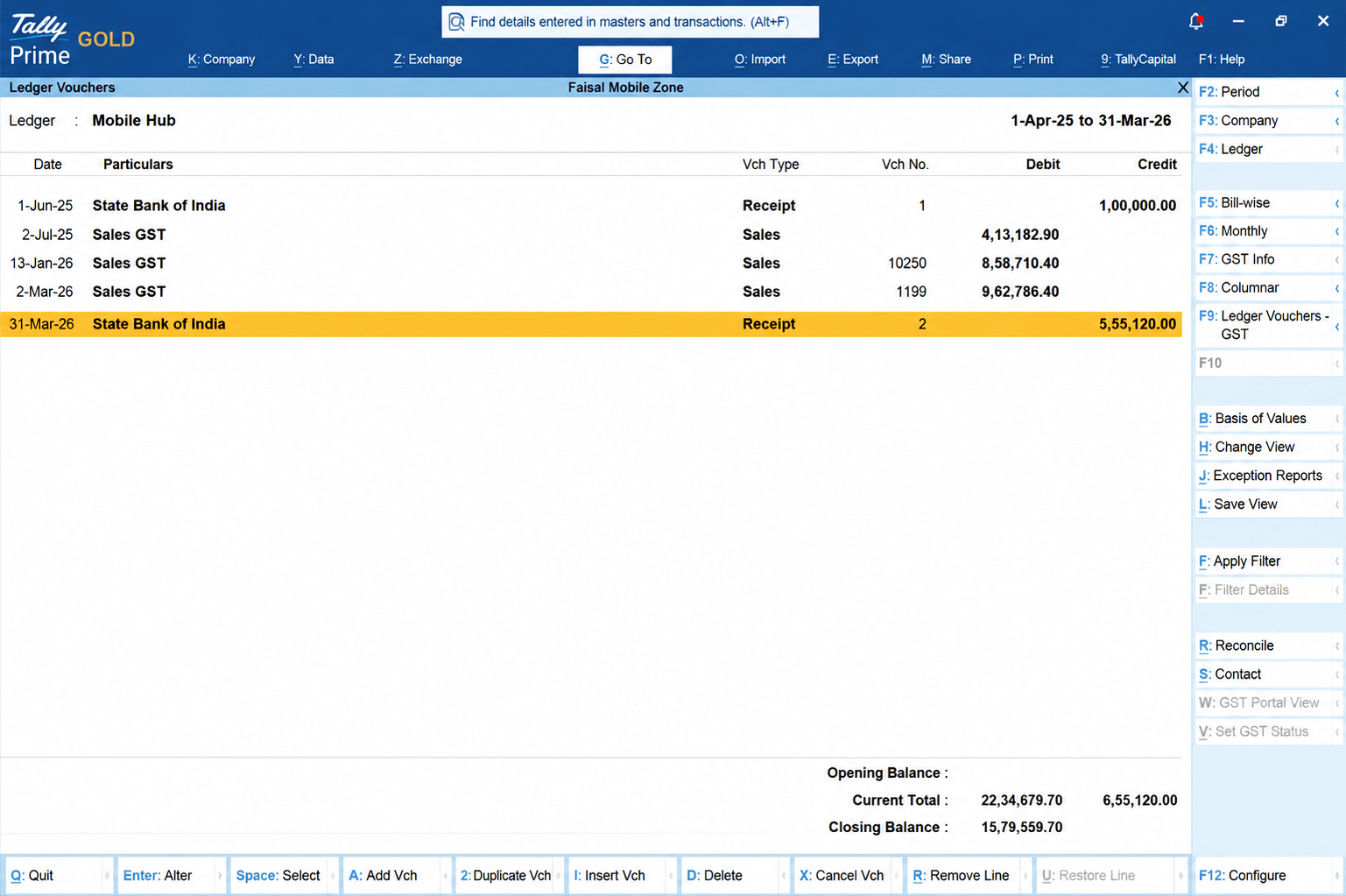
Checking Customer Balances
Once the payment is received from the customer, you can finally check the ledger account in TallyPrime, which contains the details of all transactions.
- View pending payments
- Follow up with customers when required
Gateway of Tally → Display More Reports → Accounts Book → Ledger
How Does Role-Based Access Make Things Easier?
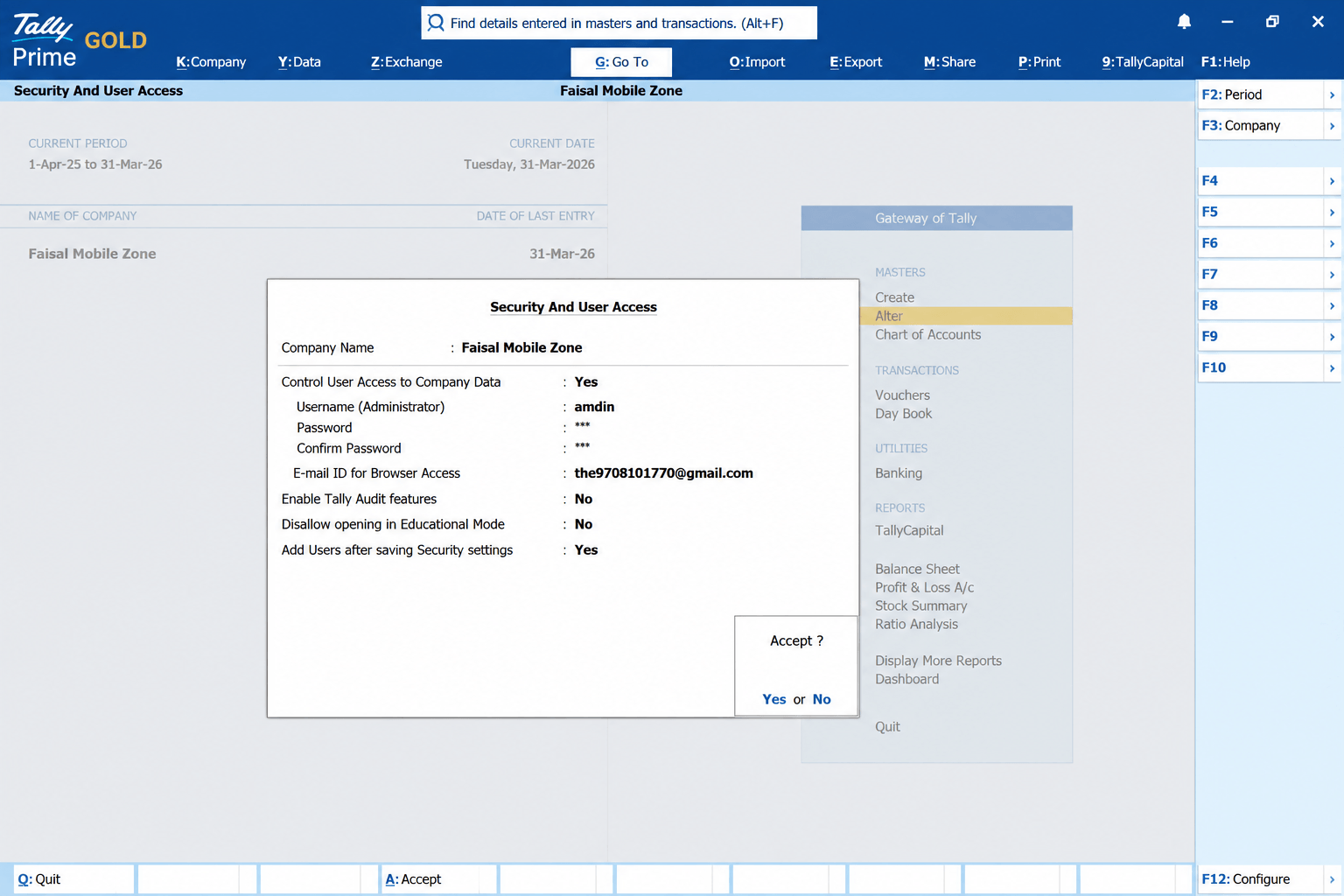
One feature I always recommend businesses use is role-based access.
Instead of showing every menu to every employee, TallyPrime allows businesses to control what each user can see.
For example:
Billing Staff Can Access
✔ Sales Invoices
✔ Customer Information
✔ Receipt Entries
Store Staff Can Access
✔ Inventory Vouchers
✔ Stock Reports
✔ Item Information
Gateway of Tally → Company (Alt + K) → Security
Conclusion
TallyPrime is not just for accountants. When businesses use role-based access correctly, billing staff can focus on invoicing, store teams can manage inventory, and management can maintain control without making the software complicated.
If you're implementing TallyPrime, start by teaching employees only what they need for their role. The simpler the training, the faster the adoption.
Quick Checklist for Business Owners
✔ Create separate user roles
✔ Restrict unnecessary access
✔ Train employees on daily tasks only
✔ Use practice entries before going live
✔ Review transactions regularly
✔ Provide refresher training when needed
Small changes like these can dramatically improve TallyPrime adoption and operational efficiency.