₹1,500 Discount on Combo Course
Grab Now Apply "FLAG26"
How Easy Is TallyPrime to Learn for SME Owners? A Practical Guide

TL;DR – The 30-Second Summary
TallyPrime is designed to be easy for SME owners, even without a commerce or accounting background. Its simple navigation, familiar business workflows, and search-based features help owners quickly create invoices, track expenses, check outstanding payments, and view business reports. You don’t need to become an accountant to use it—learning the basics can help you handle everyday business tasks with greater confidence and control.
Introduction
Running a growing business means your plate is already overflowing. The last thing you need is a complicated software tool that demands a week-long training course just to print an invoice.
When talking to small and medium business owners, I often hear the same underlying worry: "Is adopting new accounting software going to slow down my team?"
In my experience, tools like TallyPrime are built precisely to bypass that friction. You don't need a degree in finance or hours of complex coding logic to get started. Let's break down what the real-world learning curve looks like for everyday business owners and their teams.
Can you really go from Installation to Invoicing in under 15 minutes?
Yes, whether you have accounting knowledge or not, you actually can. When you first open TallyPrime, the software doesn't hit you with confusing jargon or endless setup wizard screens.If you know what a ledger, a voucher, or an invoice is, the platform mirrors that exact logic.
- Minutes 1 to 3: Install the software and activate your license.
- Minutes 3 to 6: Enter your basic company details and preferences.
- Minutes 6 to 10: Create necessary masters/ledgers.
- Minutes 10 to 15: Generate your very first customer invoice.
Because the layout uses familiar entry patterns and keys, you don't have to relearn how to create an invoice, a ledger, or perform any other task that you already have.
How do SME owners handle the transition in TallyPrime?
Take Nazeer Shaikh, who runs a mid-sized hardware distribution business in my local network. For years, his team relied on a mix of manual registers and fragmented spreadsheets. Switching to digital inventory and billing felt daunting to them.
Instead of organizing a massive multi-day training workshop, Nazeer Shaikh took a practical approach:
1. Started with live data immediately: They stopped using dummy entries and began billing actual walk-in customers on day one.
2. Layered features gradually: They stuck purely to basic sales and receipts for the first two days, introducing inventory tracking and GST reports only after the team felt comfortable.
3. Relied on quick search shortcuts: Using intuitive search functions (like the "Go To" feature) allowed his staff to find reports instantly without digging through complex menu trees.
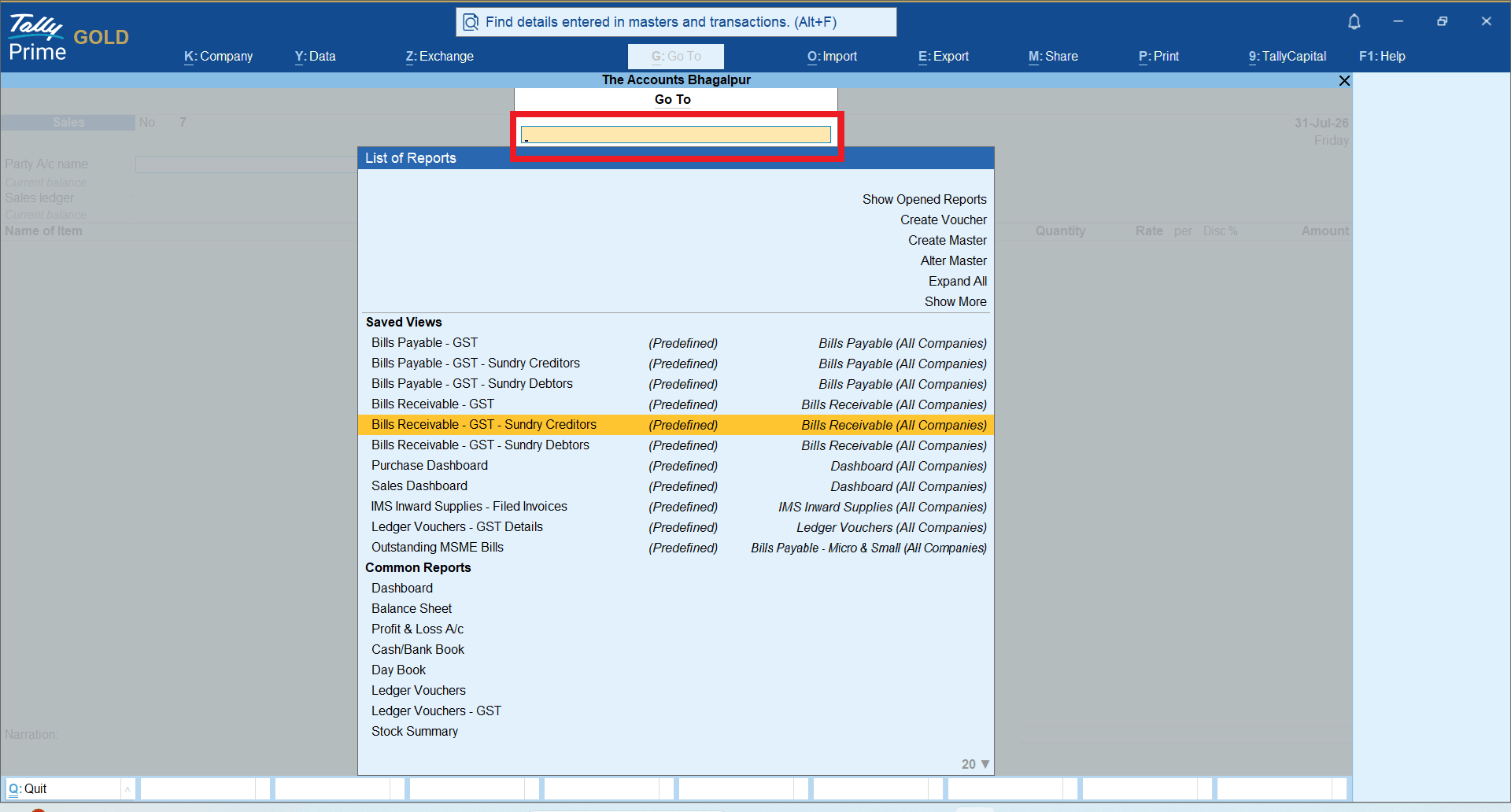
Within 48 hours, Nazeer Shaikh’s team was operating faster than they ever did on paper, completely eliminating end-of-month reconciliation panic.
Which TallyPrime features should a beginner learn first?
When starting with TallyPrime, it is easy to get distracted by the sheer number of advanced capabilities available. However, as an SME owner or beginner, you don't need to master everything on day one.Focusing on a few core functional pillars first will give you immediate control over your business operations.
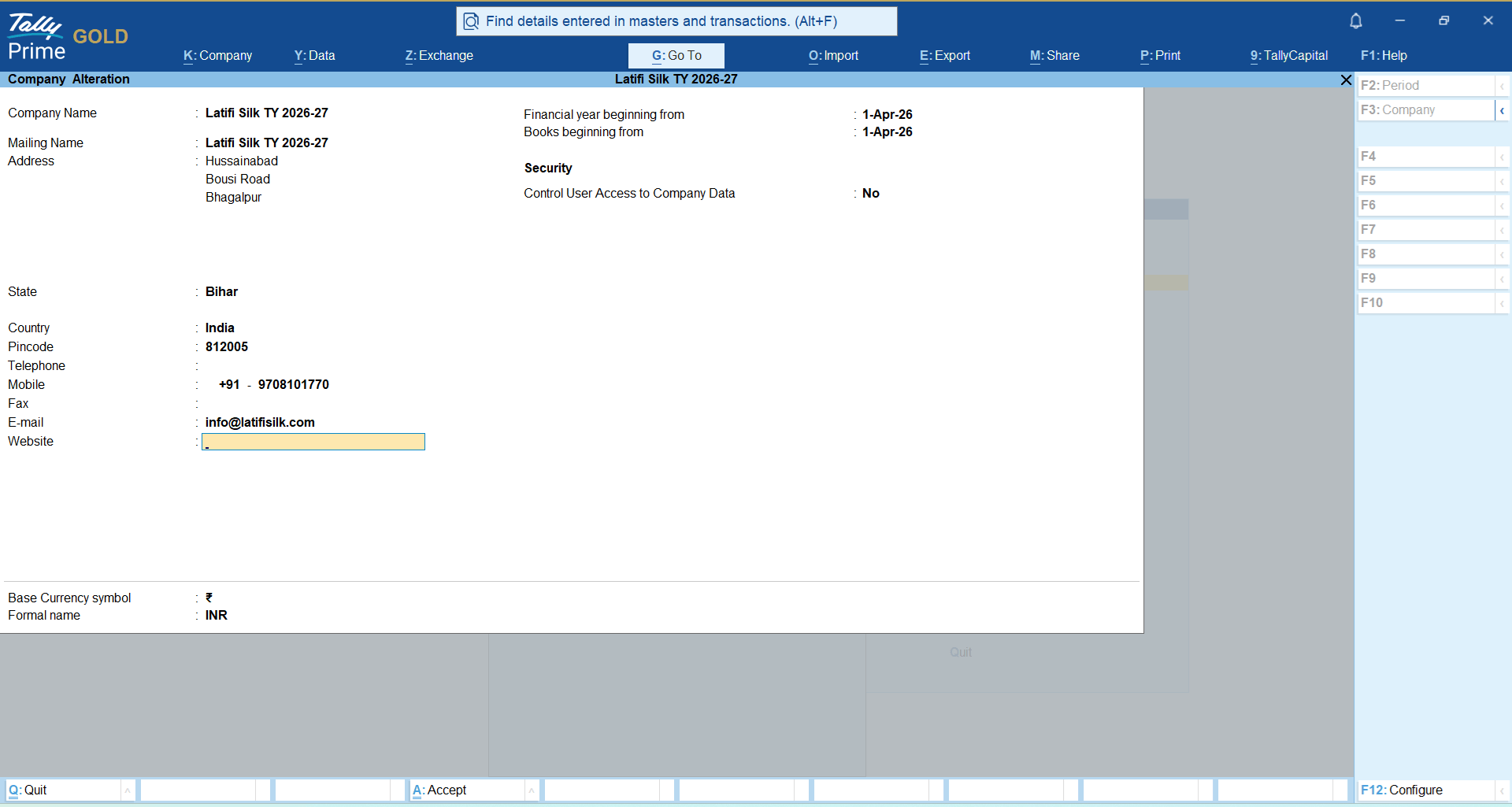
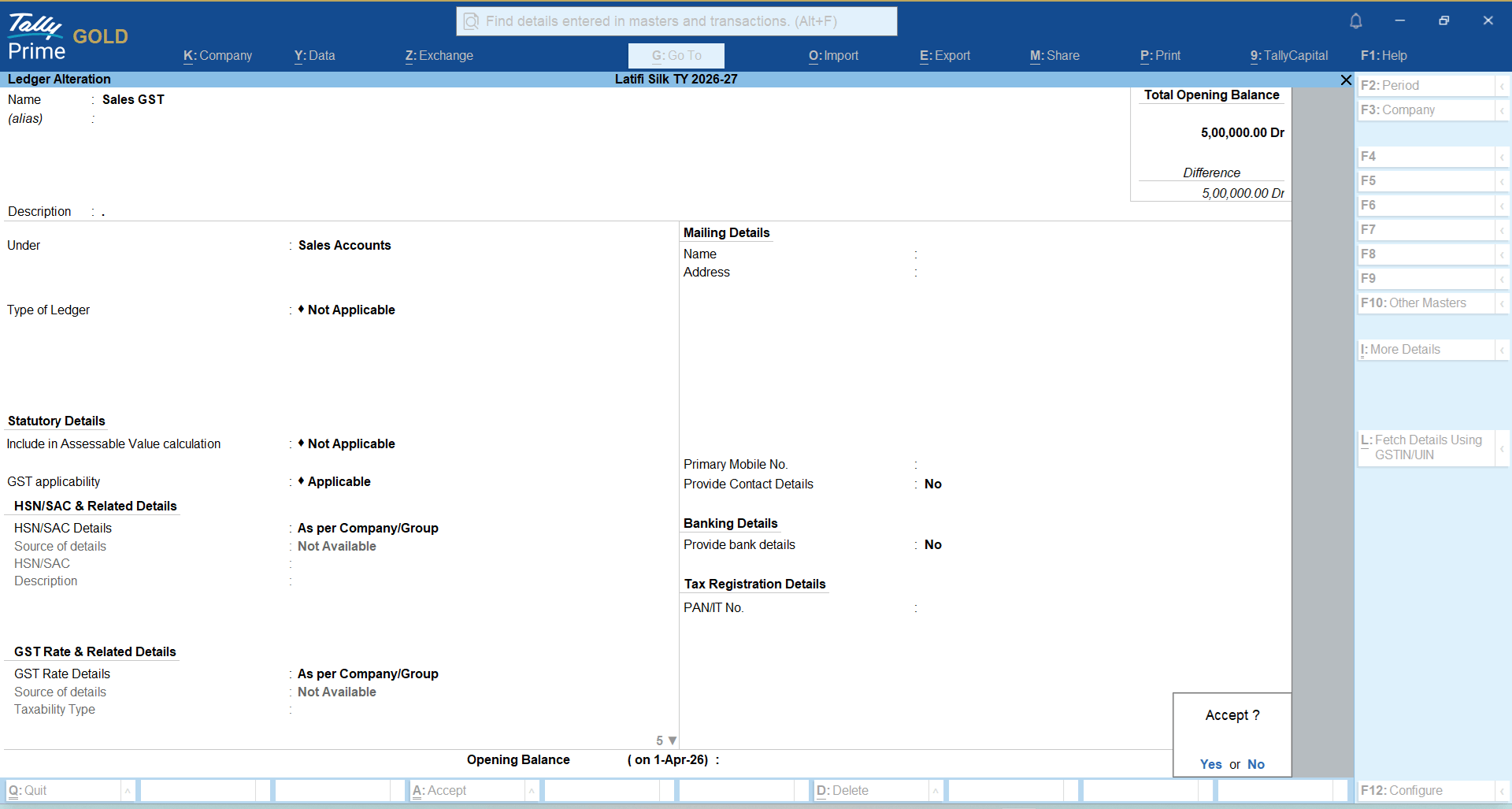
1. Company Setup and Basic Ledger Creation
● What it is: The digital foundation of your business. This is where you input your business name, financial year, and tax details, and set up basic "ledgers" (categories like Purchase, Sales, SGST, CGST, IGST, cash, bank accounts, customer names, and vendor accounts).
● Why learn it first: Every transaction needs a home. Knowing how to quickly add a new customer ledger or update your business profile ensures your financial records stay organized from the very beginning.
Gateway of Tally→ F3→ Create Company
Gateway of Tally→ Create→ Ledger
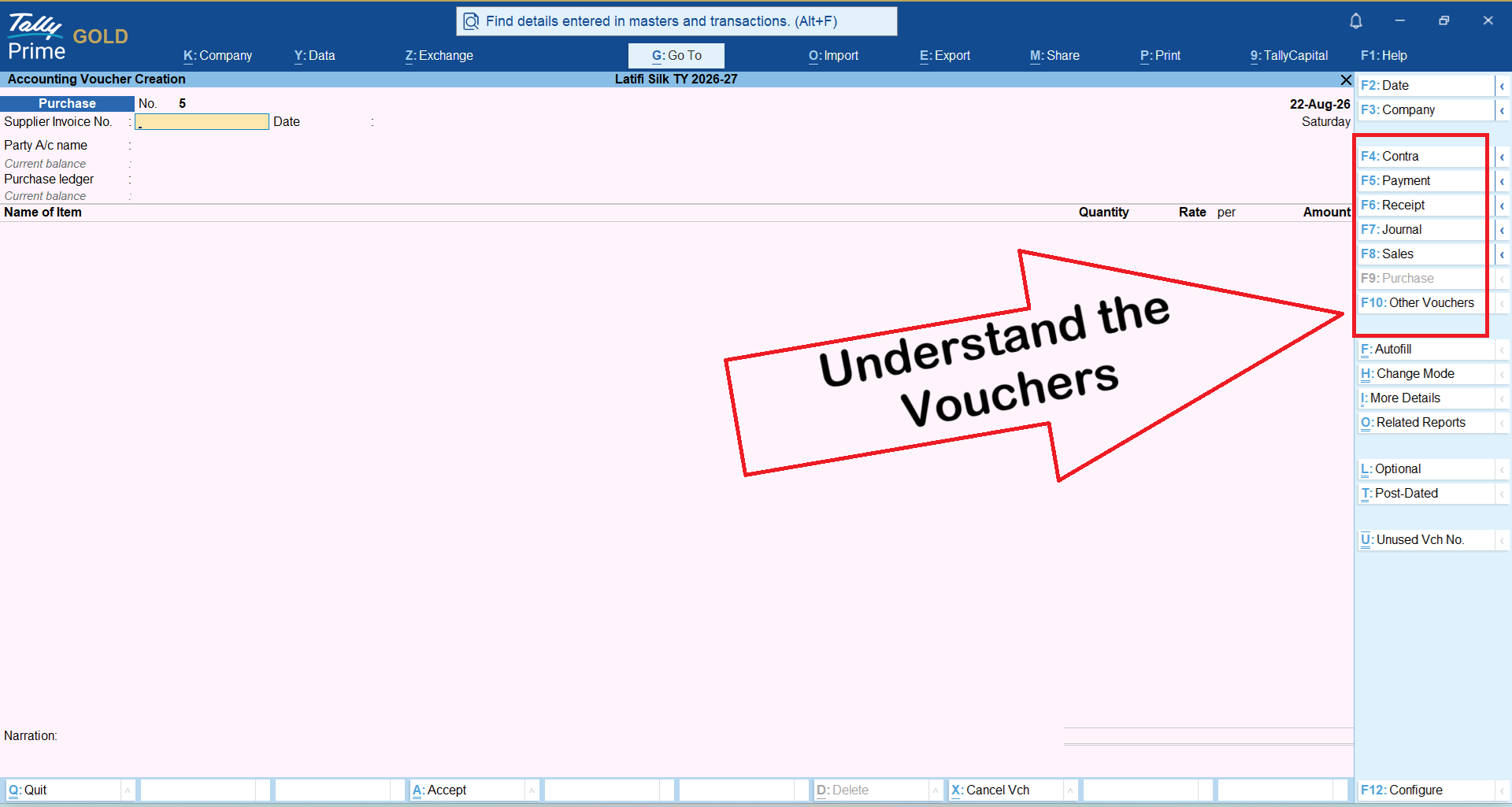
2. Voucher Entry (Sales, Purchases, Receipts, and Payments)
● What it is: The day-to-day transaction screen. This is where you log money coming in (receipts), money going out (payments), items sold (sales invoices), and stock bought (purchases).
● Why learn it first: This represents 80% of what you or your staff will do daily. Once you understand the simple, consistent format of a voucher entry, recording routine business activity takes seconds.
Gateway of Tally→ Vouchers
3. The "Go To" Search Bar
● What it is: TallyPrime’s universal navigation tool (accessed via a simple shortcut). Instead of memorizing where a specific report lives, you can type what you want in the “Go To’ search bar. Type "Stock Summary" or "Cash Flow", or anything else you are looking for, and jump straight to it.
● Why learn it first: It completely eliminates the frustration of getting lost in menu trees. It allows beginners to look up critical information instantly without professional training.
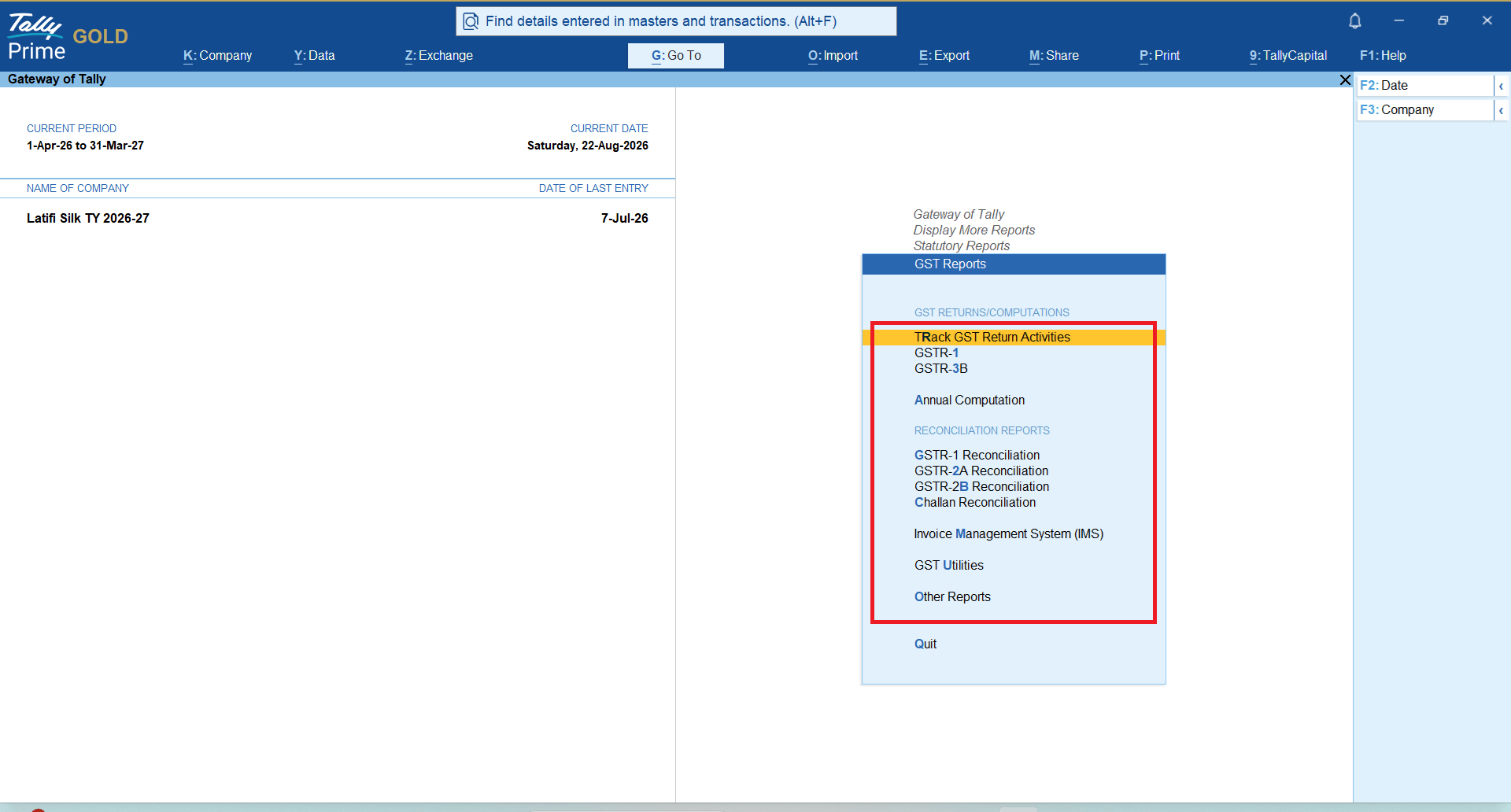
4. Automated GST Invoicing & Tax Compliance
● What it is: The built-in tax engine that calculates local taxes (like GST) automatically as you build an invoice, and bundles the data for your regular return filings.
● Why learn it first: Manual tax math is a major source of errors and compliance stress for small businesses. Learning how to generate clean, tax-compliant invoices right out of the gate saves hours of end-of-month cleanup.
5. Basic Financial Reports
● What it is: One-click automated dashboards showing your net profit, cash positions, and current inventory levels.
● Why learn it first: Moving past data entry to actually viewing these reports helps you understand where your money is going, which products are selling, and who still owes you payments, giving you total clarity to make quick business decisions.
Conclusion:
Learning TallyPrime is not difficult for SME owners. With its simple interface, easy navigation, search-based features, and practical business reports, owners can easily learn to manage everyday tasks without deep accounting knowledge.
The key is to start with the basics—sales, purchases, expenses, payments, receipts, GST, and business reports—and learn through real business transactions. With regular use, TallyPrime can become more than an accounting tool; it can give SME owners better control, clearer financial visibility, and greater confidence in making business decisions.
Frequently Asked Questions
1. Is TallyPrime suitable for first-time SME owners?
Yes. TallyPrime can be learned quickly, starting with invoicing, payments, receipts, outstanding reports, and other daily business requirements that can be learned within an hour.
2. Do I need accounting knowledge to use TallyPrime?
While basic accounting knowledge can help with other tasks, users do not need that knowledge to learn everyday tasks like invoicing, viewing reports, etc, in TallyPrime.
3. How long does it take to learn TallyPrime?
As a new user, you may take about 5 minutes to generate your first invoice, and about an hour to learn basic tasks in TallyPrime. The exact time to learn all features of TallyPrime depends on your business transactions, experience, and business complexity.
4. Should business owners learn about GST before using TallyPrime?
No. Business owners can start with basic business transactions first, then learn GST workflows relevant to their business. Complex tax matters should be professionally reviewed.
5. Should an SME owner learn every TallyPrime feature?
No. SME owners should first focus on features like business reports that will help them with business decisions. Advanced features can be learned when your business actually needs them.