₹1,500 Discount on Combo Course
Grab Now Apply "FLAG26"
A Shop Owner's Guide: What TallyPrime Invoicing Feels Like Day to Day
TL;DR
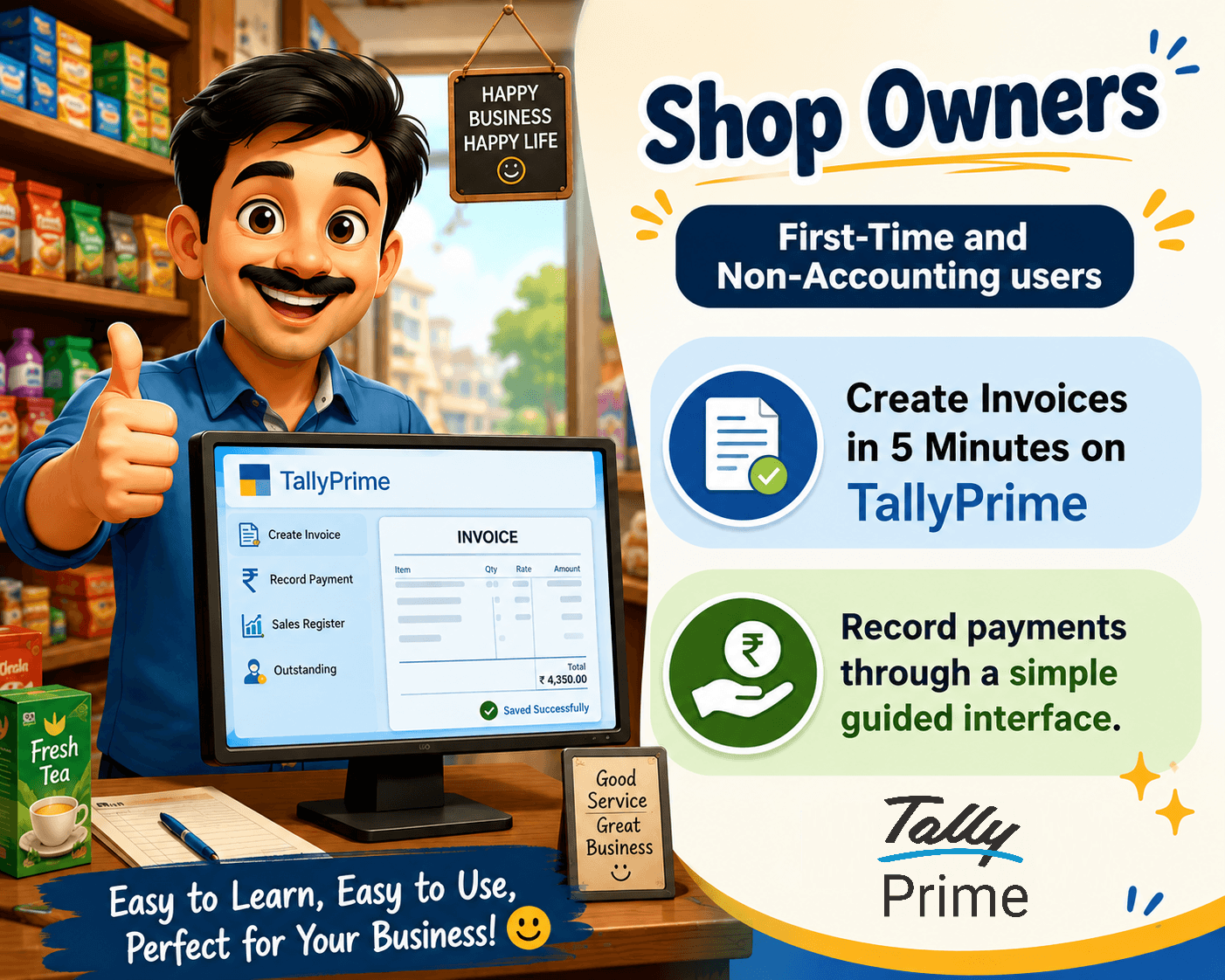
TallyPrime turns daily billing and inventory tracking from a stressful chore into a smooth, 5-minute routine. Even if you are opening billing software for the first time, its clean design lets you create invoices, check stock items instantly, and keep your records organized without needing an accounting degree and keep proper payment records.
Introduction
Running a retail shop or small business means your days are already chaotic. Customers are waiting at the counter, suppliers are calling, and bills need to go out fast.
In my experience working closely with shop owners, the biggest daily stress is the paperwork that follows a sale. Keeping track of what sold, what's sitting on the shelf, and whether customers paid on time used to mean late nights with messy registers.
This is where a reliable system changes the game. Let's look at how day-to-day life shifts when you bring TallyPrime to your front desk.
Is It Really That Easy for a First-Time User?

When you hear "accounting software," you might picture complicated screens and intimidating spreadsheets. I’ve seen many shop owners hesitate to switch because they worry they won't know how to use it.
The good news? TallyPrime is built for people who run businesses, not just accountants. Here are few easy shortcut keys to use TallyPrime:
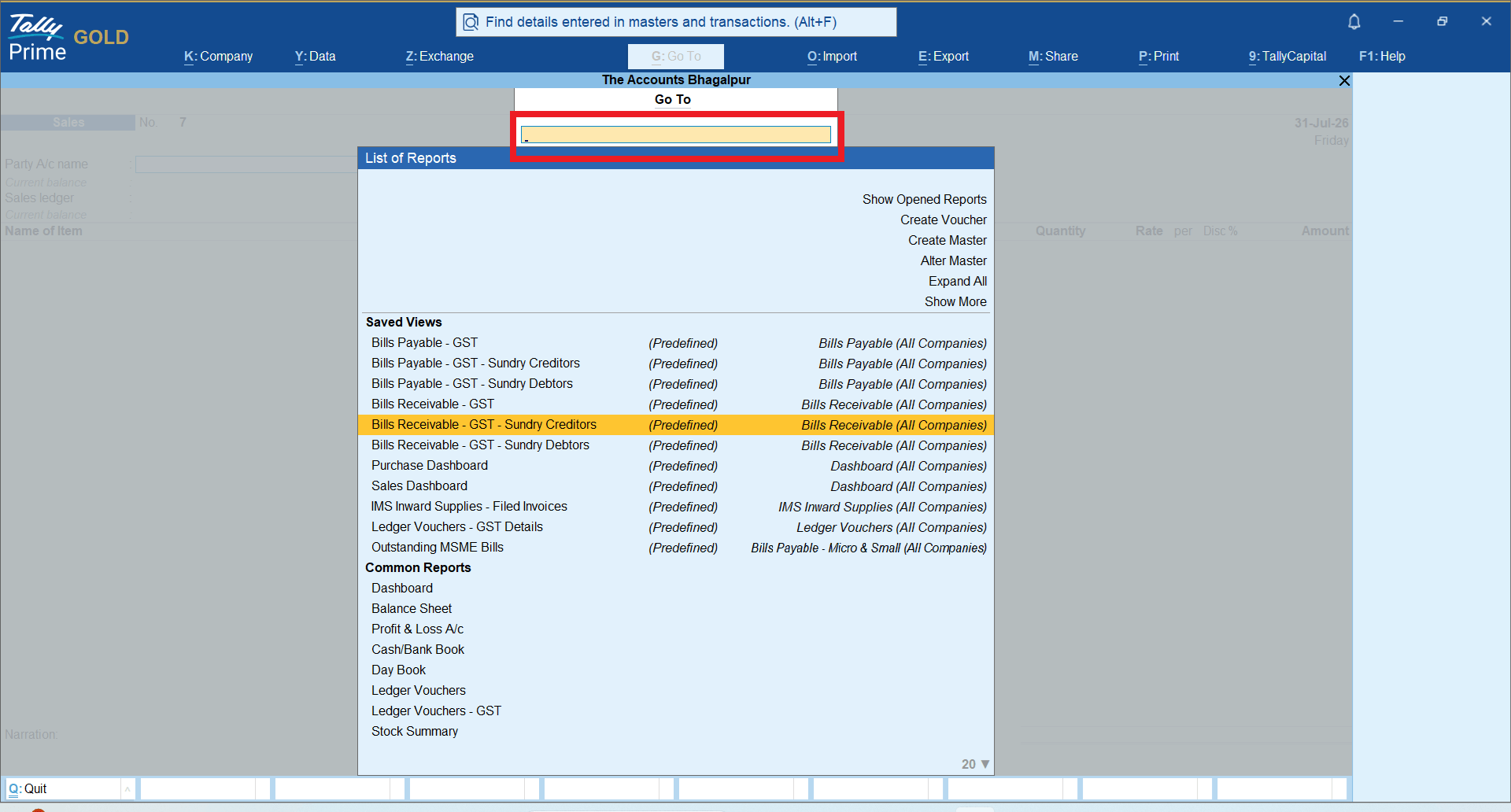
● Go-To Menu Bar (Alt+G): Think of this like a universal search bar. Want to check a customer's ledger while making a bill? Just press Alt+G, type what you need, and jump right there without losing your current bill.
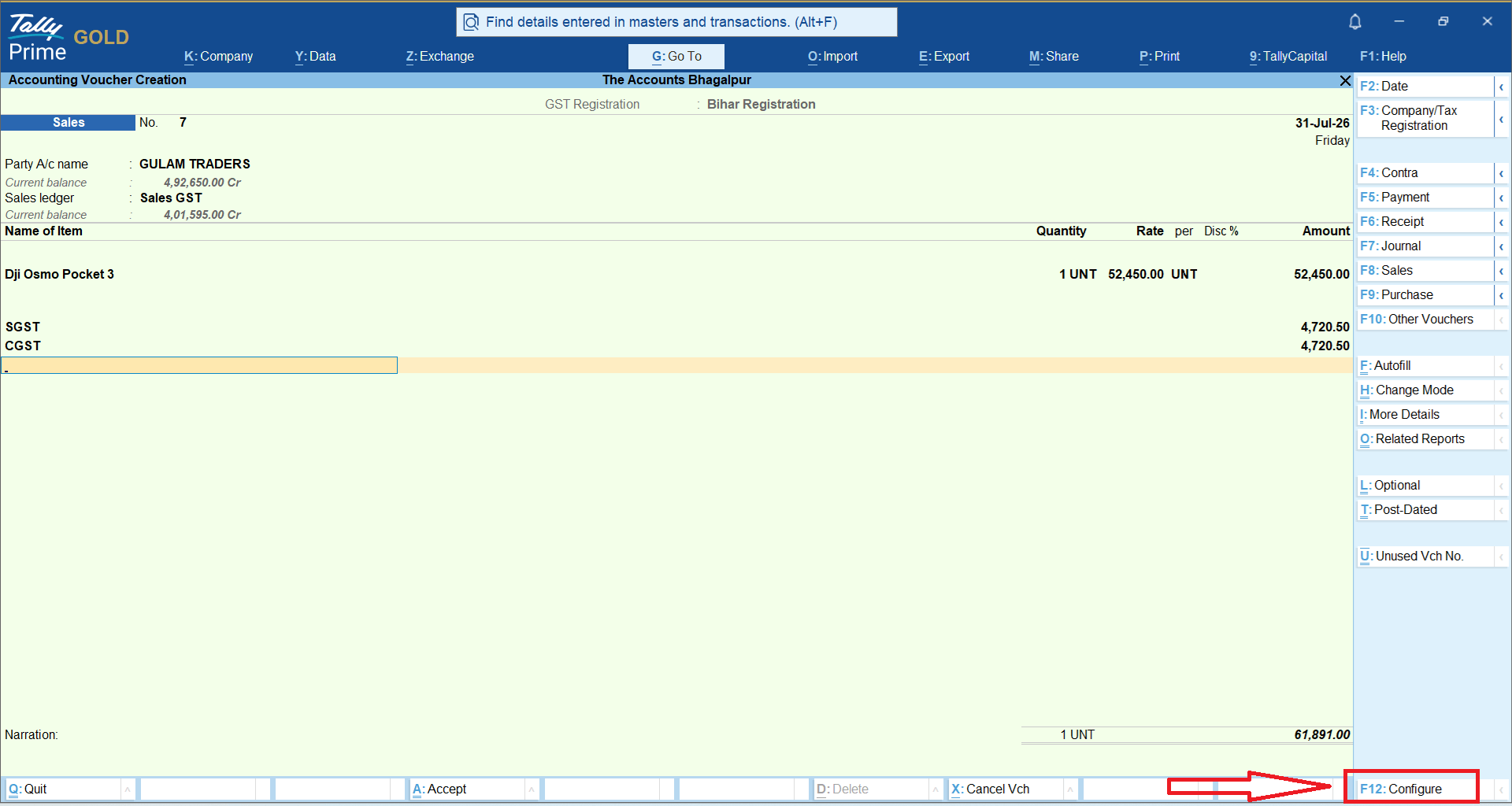
● F12 Configuration: Every screen lets you press F12 to turn features on or off. If you don't need discount columns or extra shipping fields, hide them to keep your screen clean and simple.
● Keyboard-Friendly Shortcuts: You don't need to hunt around with a mouse during a rush. Most actions happen with a quick keystroke, making counter billing lightning fast.
How Does It Take the Guesswork Out of Stock Management?
"I spent half my weekend trying to figure out why my physical stock didn't match my notebook." — A frustrated garment store owner before switching to digital inventory.
Choosing the right stock items during a busy billing moment shouldn't feel like a treasure hunt. Here is how TallyPrime helps you stay completely organized:
● Instant Item Search: As you start typing a product name on the billing screen, TallyPrime instantly filters your inventory. It shows you the exact item, current stock quantity, and selling price right on the spot.
● Low-Stock Alerts: You can set reorder levels for your fast-moving items. The system gives you a heads-up before your shelves run completely empty.
● Batch and Expiry Tracking: If you run a grocery store, pharmacy, or retail outlet with perishable goods, TallyPrime helps you track batches so you sell older stock first.
How TallyPrime helps Shop Owners to make GST sales invoicing and keeping proper payment records?
TallyPrime transforms GST invoicing and payment tracking from a complex tax chore into a seamless part of your daily workflow. Because it is an integrated system, you record a transaction once, and the software handles the accounting, tax calculations, and inventory updates simultaneously.Here is how TallyPrime simplifies these tasks for a shop owner:
1. Effortless GST Invoicing
Instead of worrying about tax slabs or invoice formats, TallyPrime automates the entire process:
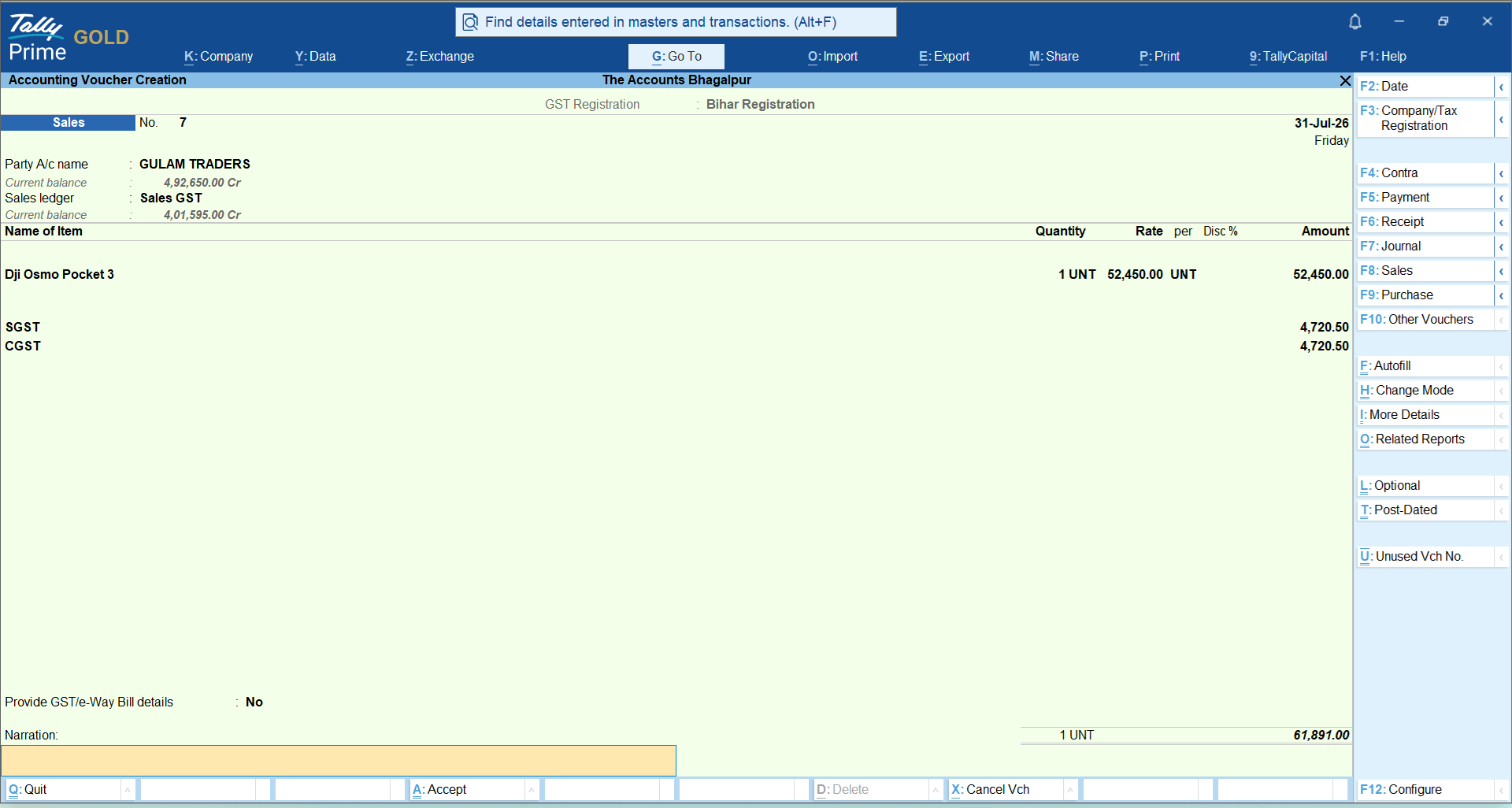
● Automatic Tax Calculation: When you create a sales voucher, the software automatically applies the correct tax (CGST, SGST, or IGST) based on the customer’s location and the item’s HSN/SAC code.
● Ready-to-Print Compliance: It generates professional, GST-compliant invoices that include all mandatory fields like GSTINs and tax breakups, so you never have to worry about missing details during an audit.
● One-Click e-Invoicing & E-Way Bills: For businesses that require it, you can generate e-invoices and e-way bills directly from the invoice screen with a single click. There is no need to log into the government portal separately or re-enter data.
2. Streamlined Payment & Receipt Records
Tracking money in and out is often where small businesses lose clarity. TallyPrime simplifies this:
● Unified Tracking: When you record a sale, the system automatically tags it against the customer’s ledger. If a payment is received, it is recorded against that specific bill, making it easy to track "outstandings" or pending payments.
● Bank & Payment Integration: You can easily record receipts from multiple payment modes (cash, bank transfers, UPI) and maintain accurate records for audit purposes.
● Automated Reminders: It helps you keep track of overdue payments, so you know exactly who owes you money without digging through manual receipt books.
3. Why It’s Better Than Manual Methods
Using TallyPrime eliminates the "double-work" trap where you enter data into a sales book, then a separate tax register, and finally a ledger.
● Single Source of Truth: Because your invoices, tax filings (GSTR-1, GSTR-3B), and financial reports (Profit & Loss, Balance Sheet) all pull data from the same source, your numbers always match.
● Real-Time Reconciliation: TallyPrime helps you reconcile your data against the GST portal, flagging mismatches (like an incorrect GSTIN or tax rate) before you file your returns, which helps avoid penalties.
● Instant Insights: Since every sale is recorded with its tax treatment, you can instantly see your actual profitability - what you earned after taxes and input tax credits are accounted for - rather than just looking at gross sales figures.
Real-World Example: How Ramesh Simplified His Electronics Shop
Ramesh runs a busy electronics and appliance store. Earlier, his billing process involved handwritten books, and tracking GST returns at month-end was a nightmare.
When Ramesh started using TallyPrime, his daily routine transformed:
1. Quick Counter Billing: When a customer buys a ceiling fan and stabilizer, Ramesh types the first few letters of each item. TallyPrime pulls up the correct tax rates and stock counts automatically.
2. Seamless Record Keeping: Every sale instantly updates his inventory and records the customer's ledger balance.
3. Zero Month-End Panic: Because every transaction is organized cleanly day by day, generating his monthly GST report now takes minutes instead of days.
Conclusion:
Stepping into digital GST billing for the first time can feel intimidating, but TallyPrime is designed to take the guesswork out of the process. By handling tax calculations, invoice formatting, and payment tracking automatically in the background, it turns what used to be a tedious month-end chore into a simple two-minute counter habit.
You no longer need to worry about complex tax slabs, missing invoice details, or mismatched ledgers. Every time you complete a sale, TallyPrime quietly does the heavy lifting, organizing your records and keeping your business tax-ready.
Your First-Time Action Checklist:
● Create your first sample GST invoice and watch TallyPrime auto-calculate the correct CGST and SGST, or IGST
● Use the built-in Alt+G (Go-To) feature to instantly check a customer's pending payment status.
● Explore the GST Reports section to see how your sales data neatly auto-populates for easy filing.
Frequently Asked Questions
Do I need an accounting background to use TallyPrime?
Not at all. It is designed with simple menus and natural language so anyone can start billing from day one.
How does TallyPrime help me find stock items quickly during billing?
As you type part of an item's name on the invoice screen, it instantly displays matching products along with real-time stock availability.
Can I use TallyPrime on a single computer at my counter?
Yes, you can easily run it on a single desktop or laptop at your billing counter, or scale it across multiple systems as your business grows.
Is it difficult to generate GST returns using TallyPrime software?
No, TallyPrime automatically captures tax details during billing and prepares your GST reports accurately in the background, ready for filing.
What happens if I make a mistake on an invoice?
You can easily open day-book entries, locate the specific invoice, make corrections, and save it. The system automatically adjusts your stock and accounts.
Can I track which customers owe me money?
Yes, the receivable reports show you outstanding balances instantly, helping you follow up with customers for timely payments.